Every Engagement. Every Meeting. One Platform.
Run community engagement projects, public meetings, and resident communications from one system – fewer handoffs, less duplicate work, and visibility across all of it.
The Cost of Disconnected Tools Doesn’t Disappear. It Slows Down Staff. And Residents Feel It, Too.
 Hours lost reconciling disconnected tools
Comments, surveys, agendas, minutes – each in a different system. Every report up the chain becomes a copy-paste marathon.
 Participation that doesn’t reflect your community
The same handful of voices shows up every time. The other 95% of your community goes unheard.
 Meetings and engagement that never connect
What residents say at the meeting and what they submit through your engagement project are telling the same story – split across two systems.
 Multi-day prep before every meeting
Agendas, packets, public comments, minutes – each a manual handoff between tools and teams. Days disappear before the gavel drops.
 Council asks, and nobody has the answer
When leadership asks what residents are telling you, there’s no one answer – just five different exports from five different tools.
 Compliance risk with one point of failure
Accessibility, recordkeeping, public-notice rules – the cost of getting it wrong lands on one office, and usually one person.
Here’s What Changes When It’s All Connected
Engagement Projects that actually reach your community.
Surveys, comment periods, plans, policies – gathered the way residents actually engage. Mobile, multilingual, and accessible by default, with the workflows your staff need to go from outreach to informed decisions.
- Meet residents on their terms, in their language, on their time
- Comments, surveys, and emails — all in one record
- Launch every project from a proven template
- Accessibility and translation built in, not bolted on
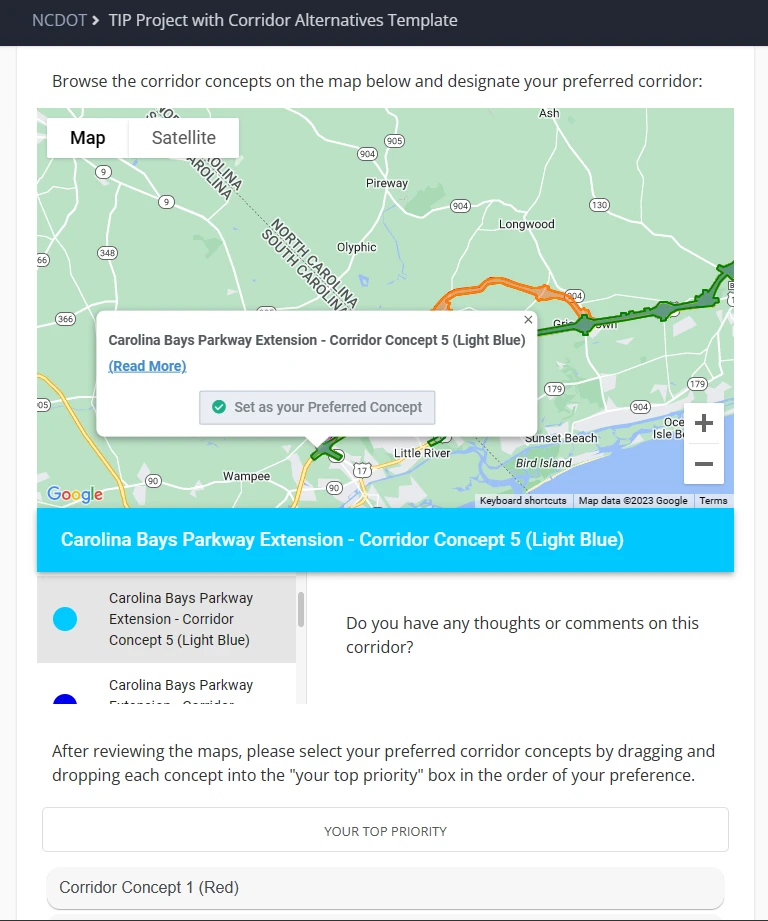
Public Meetings, run more efficiently.
From agenda posting to adopted minutes – one connected workflow instead of five disconnected tools. Less duplicate entry, less cleanup, hours back to your clerk’s office every cycle.
- One workflow from agenda to minutes
- Compliant and accessible by default
- Speaker sign-up, public comment, and the meeting record – all in one place
- Audit-ready records for every vote, comment, and motion
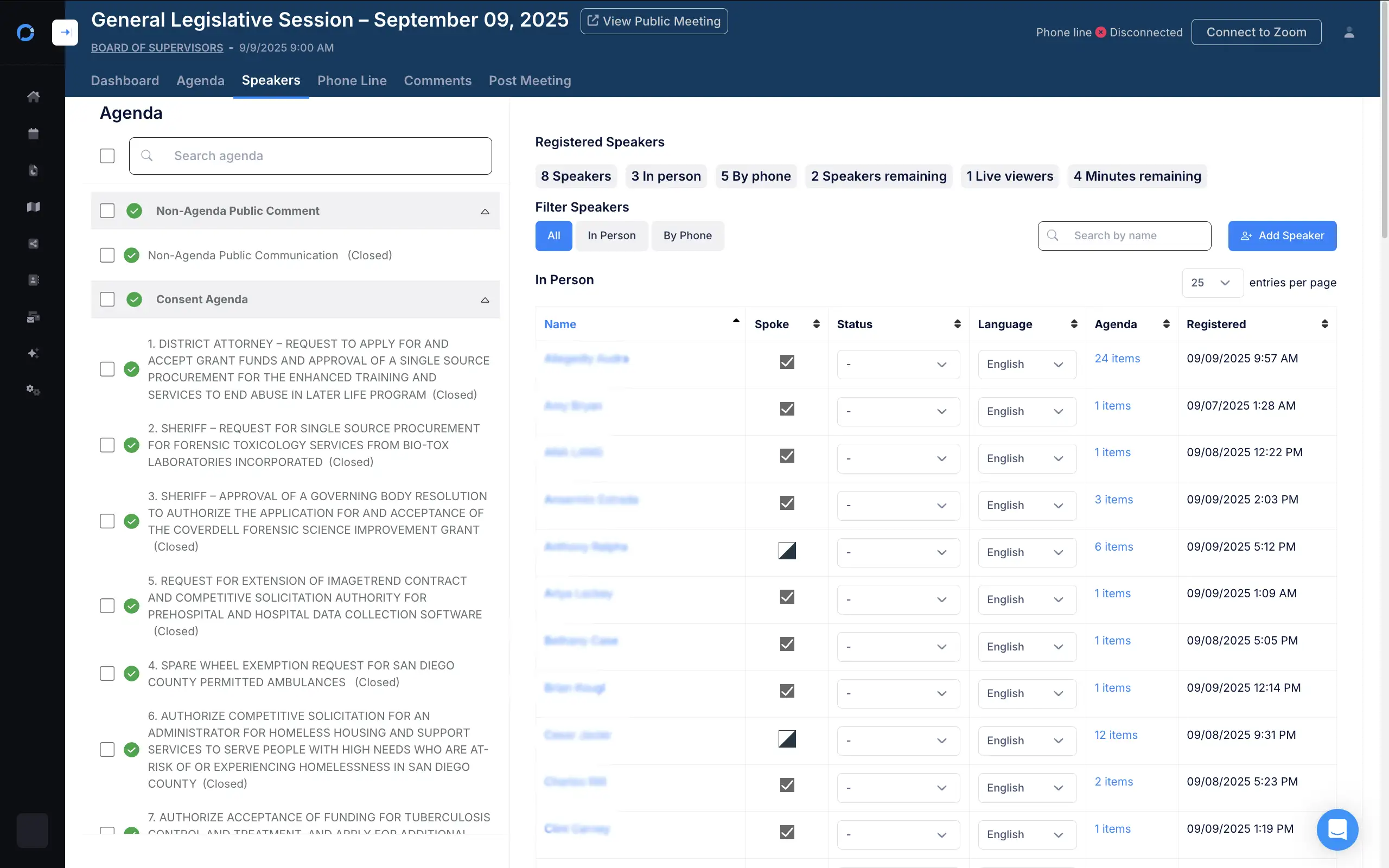
Visibility for leaders, defensibility for the org.
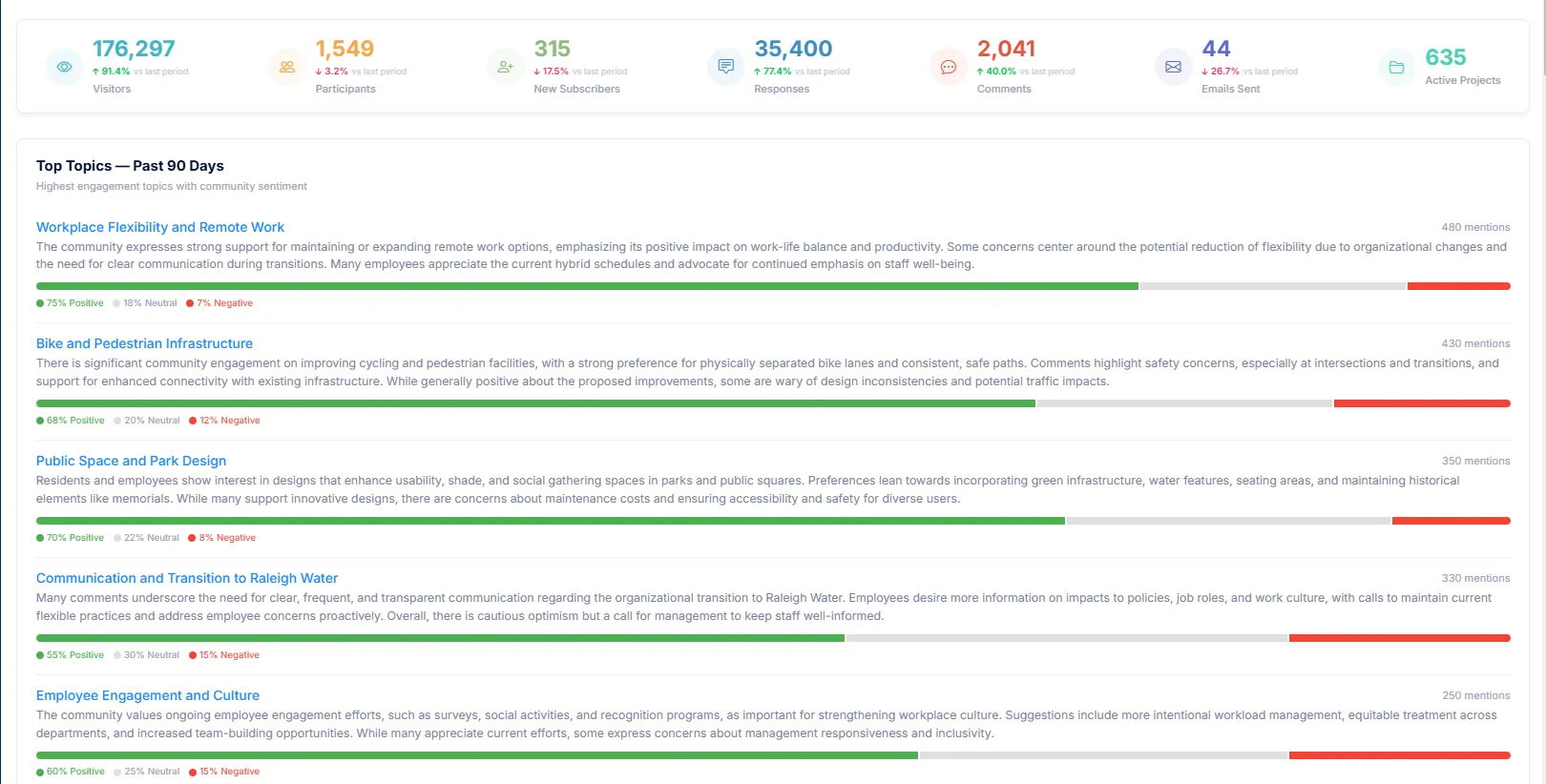
The first executive dashboard built for community engagement and public meetings. Walk into council prepared — not surprised.
- Every department, every meeting, in one executive view
- Public sentiment, participation, and meetings at a glance
- One source of truth across every department
- Built for the leader who has to answer for both
Trusted Partners




What Our Clients Say:
Since switching to PublicInput’s Meetings product, we’ve cut meeting prep and post-processing time by 26% — eliminating hours of manual agenda updates, spreadsheet tracking, and caller management that used to bog down our entire team.
Andrew Potter, Executive Officer/Clerk,
San Diego County Board of Supervisors
Thank you to everyone at PublicInput for being a strong partner with the City of San Antonio. You have really allowed our organization to catapult itself into a new era of engagement and public participation. We couldn’t have reached that next level of engagement without …[the efforts of staff and]…PublicInput who gave us not only the digital space to do so, but the continuous open dialogue to further and better our efforts.
Melanie Morales
Operations Strategist, City of San Antonio
At NCDOT, our goal has always been to enhance public engagement through innovative strategies and technology. PublicInput’s support reflects our commitment to making public involvement more accessible, inclusive, effective, [and] pushes the boundaries of innovation in community engagement.
Jamille Robbins
Community Studies & Visualization Group Leader, NCDOT Public Involvement
Love the ability to engage the public and the tools to see who is participating.
Jennifer Cinelli
Delaware Department of Transportation
PublicInput provides tools that allow us to do this work and is a big help in supporting our goals in this area.
Jackie Nolasco
NCTCOG
PublicInput gives you the Ferrari of engagement technology. It is robust, agile, and allows local governments to laser-focus on underrepresented communities of color, residents with limited English proficiency, and people with disabilities.
Justin Schneider
Engagement Specialist, City of Austin Community
PublicInput is very easy to use and has so many options for how you can connect with the citizens your entity supports.
Stephanie Perrone
Freeborg Energy Project Manager, PMP, LEED GA, Austin
Easy to use system for creating interactive and engaging project pages with a variety of ways of accepting comments.
Monica Haines Benkhedda
Baltimore Metropolitan Council
Love the ability to engage the public and the tools to see who is participating.
Jennifer Cinelli
Transportation Planner, Delaware DOT
Publicinput makes it so easy for me to do so much in so little time. I just have to toggle on the phone tab and I have a voicemail line!
Brenda Thomas
Communications & Planning Services Manager, Fresno COG
See What Unified Engagement Looks Like
- Start with a free 30-minute consultation with an engagement expert to assess your needs.
- Develop a Tailored Demo and provide a plan for implementation.
- Create a Personalized Plan with a timeline to help you achieve your goals.
Schedule your free 30-minute consultation today and uncover how PublicInput can help streamline your public engagement, increase participation, and build stronger relationships with your community.