
Live Voting
Every motion and vote, recorded as it happens.
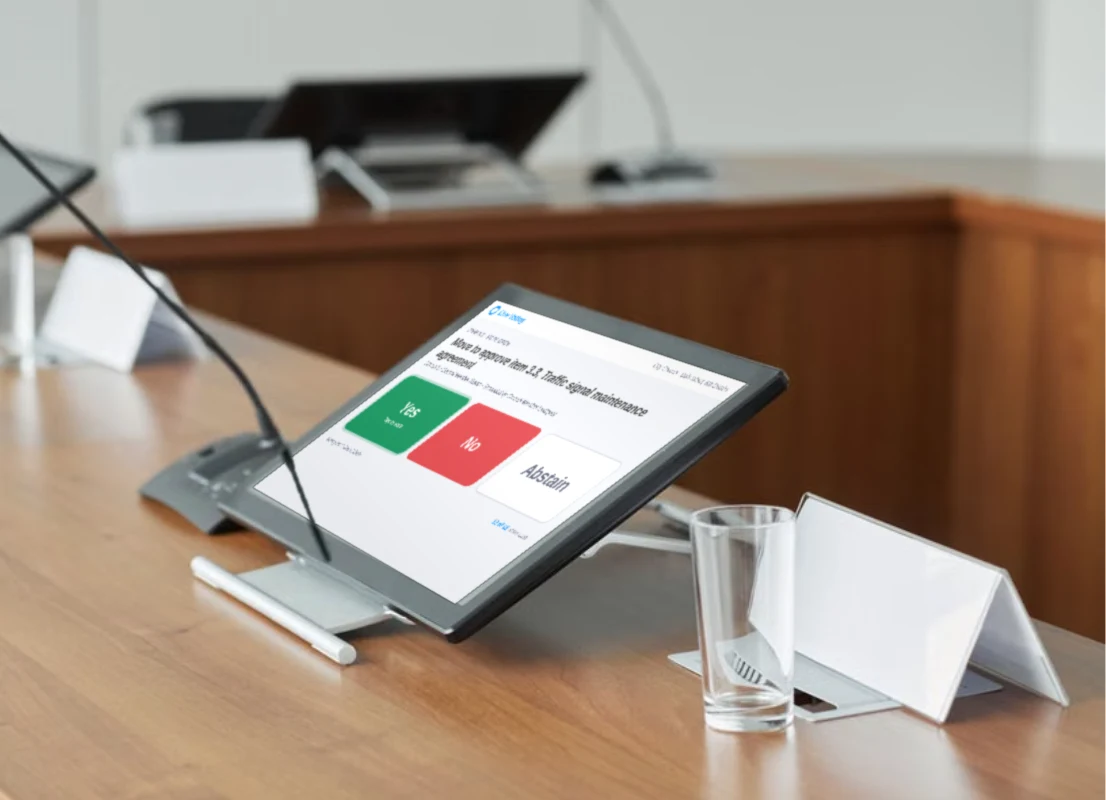
Live Voting uses meeting audio to draft each motion for staff to review and confirm. Board members cast their votes on a tablet, and the results are automatically added to the minutes.
HOW IT WORKS
Run every vote from one screen, with each member’s vote on the record
PublicInput Live Voting is an electronic voting system for council and board meetings. Clerks take attendance, confirm each motion and open the vote, all from the meeting console. Members vote from the tablets or laptops already at the dais, and you can show the vote count in the room on a screen or large monitor. Each member’s vote goes straight into the minutes and onto the public agenda. Live Voting runs in the browser, so there’s no voting hardware to purchase or install.
-
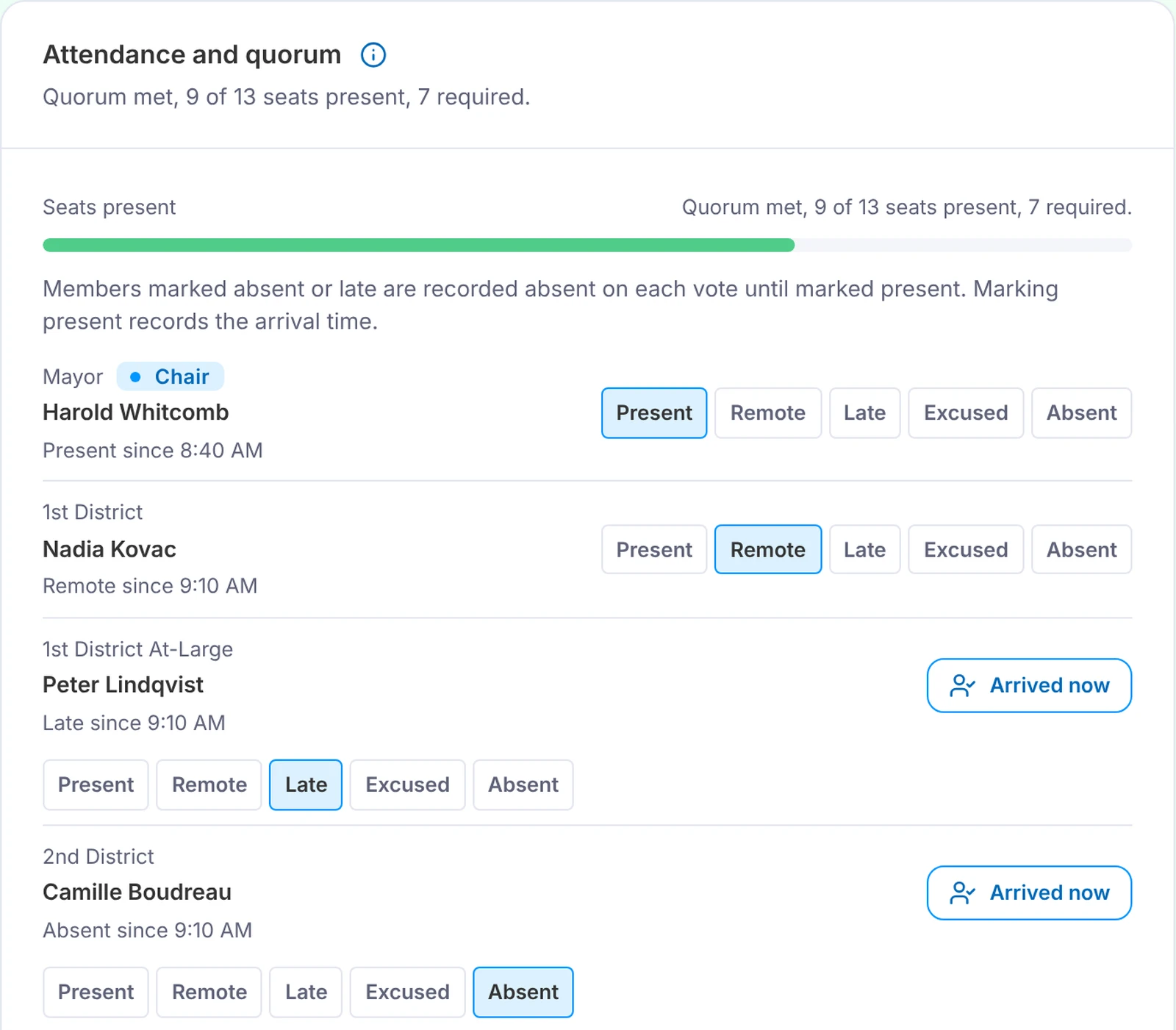
Confirm quorum before the first vote
Mark each member present, remote, late or absent. Quorum updates automatically as people come and go, based on your board’s rules.
-
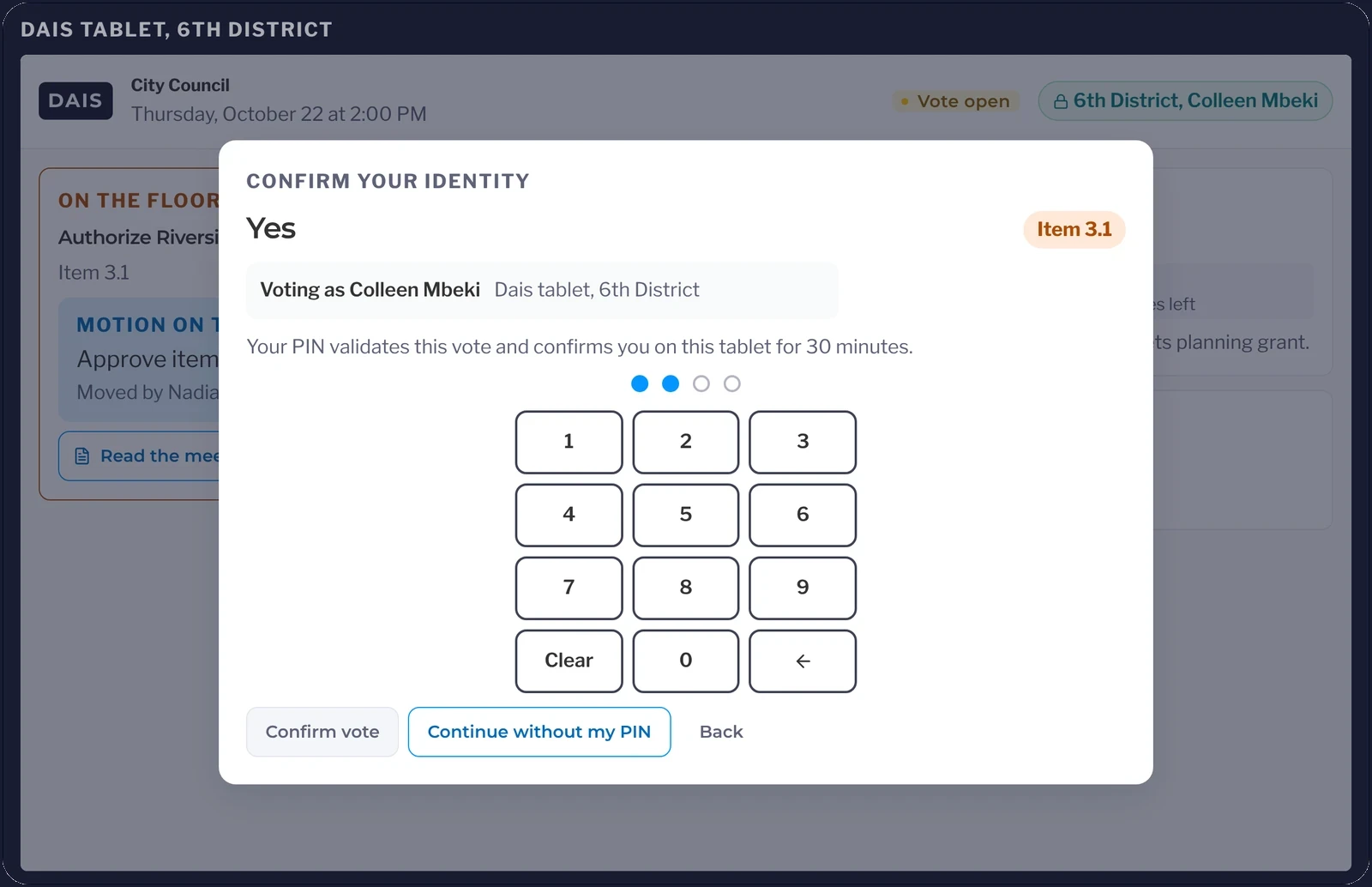
Let members cast their own votes
The ballot opens on each member’s tablet or laptop, and members confirm with a personal PIN, so every vote on the record is theirs.
-
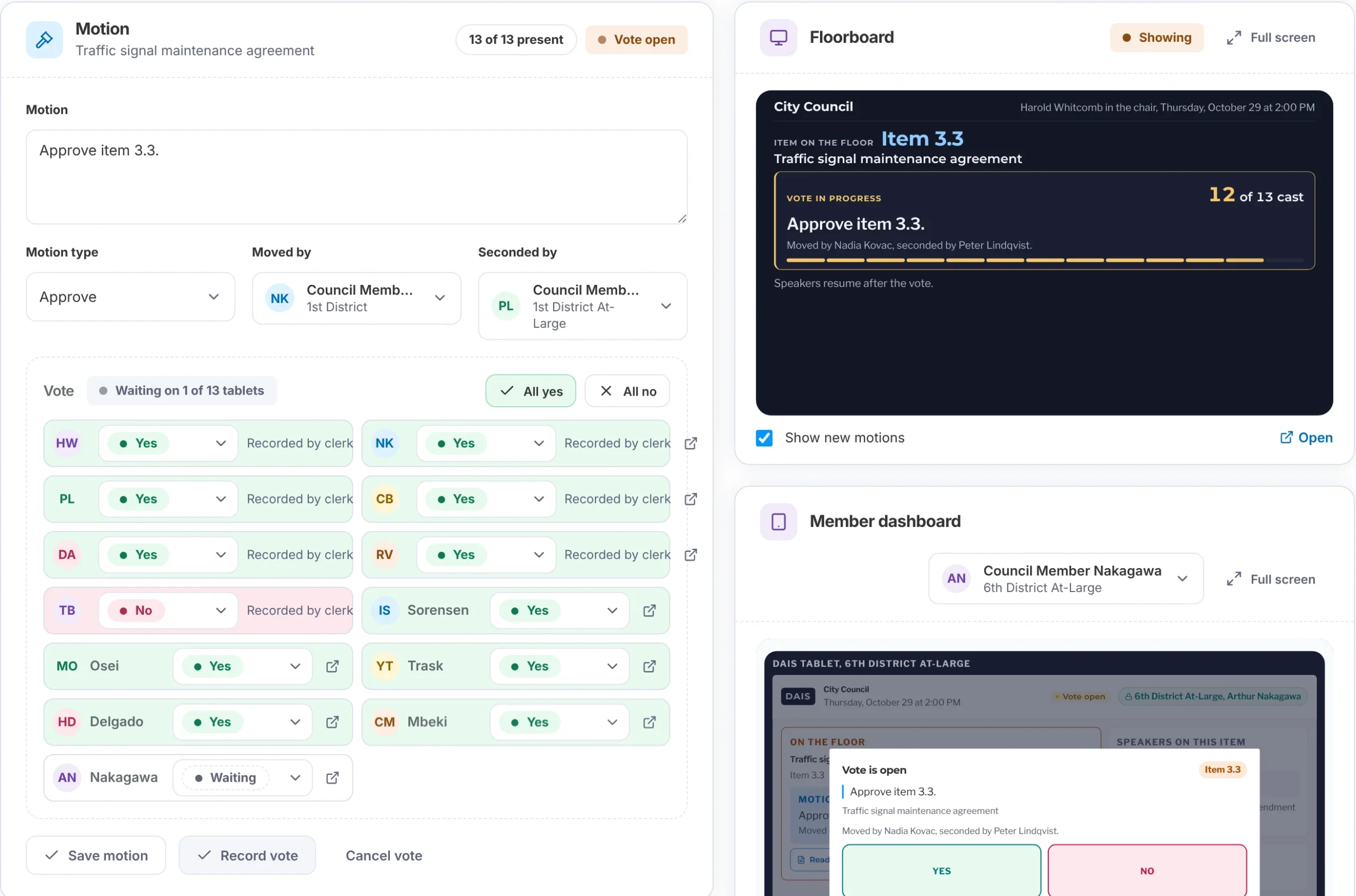
Show the room the result right away
Display the vote count and final result on a screen in the room. You’ll also see which members haven’t voted yet.
What it replaces
How every vote gets counted in PublicInput
What’s Included In
Live Voting
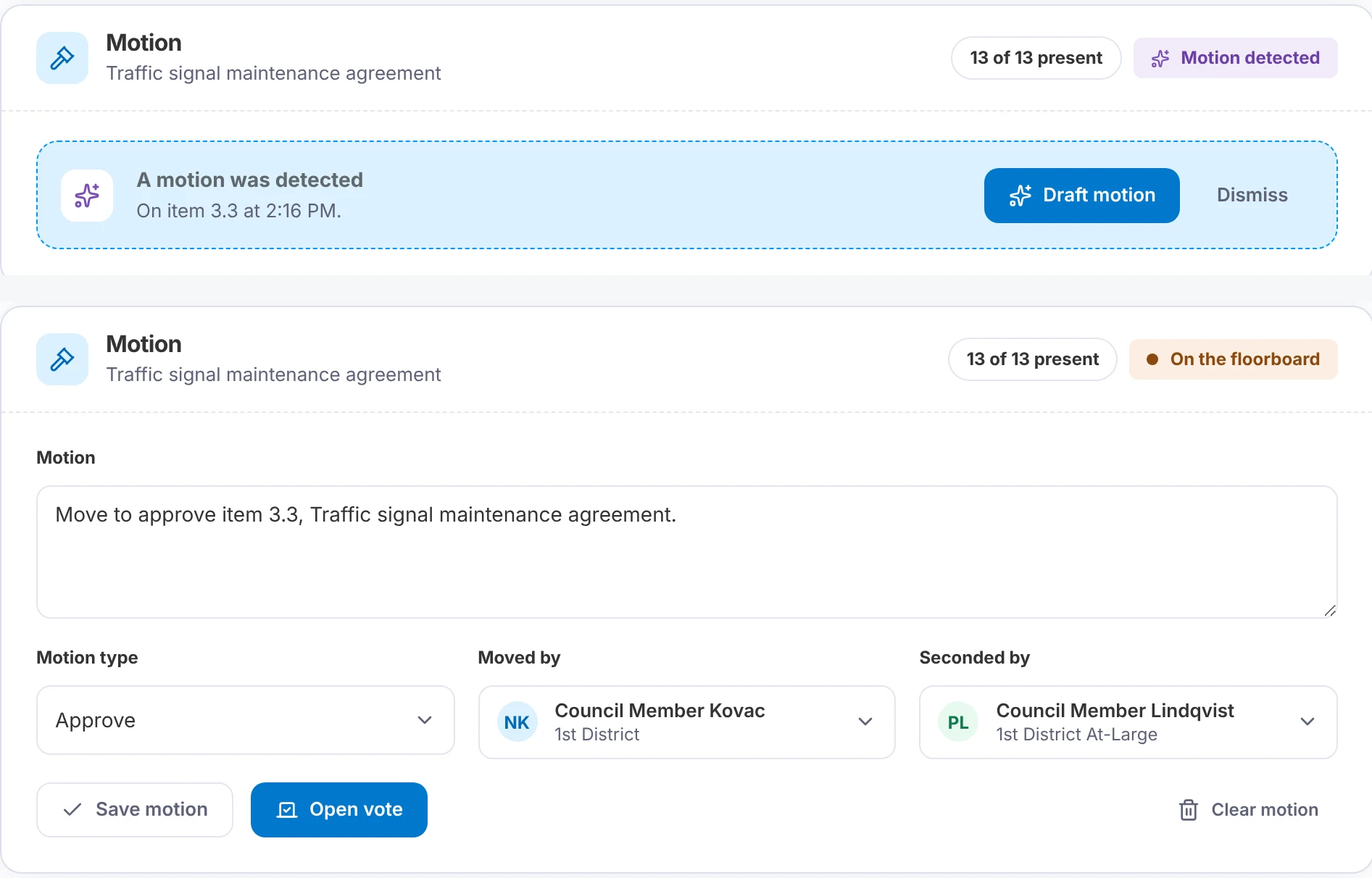
Confirm every motion before it goes up on the screen
- Draft the wording, mover and seconder from the meeting audio.
- Correct a name or the wording before you confirm.
- Put the confirmed motion on the floor board so the room can follow along.
Apply each board’s quorum and passing rules automatically
- Set quorum and the passing threshold once for each board: a majority of those voting, a majority of seats or two-thirds.
- Record a recusal along with the reason.
- Let a member vote “No” on one consent item while the rest still pass.
Publish every result the moment the vote closes
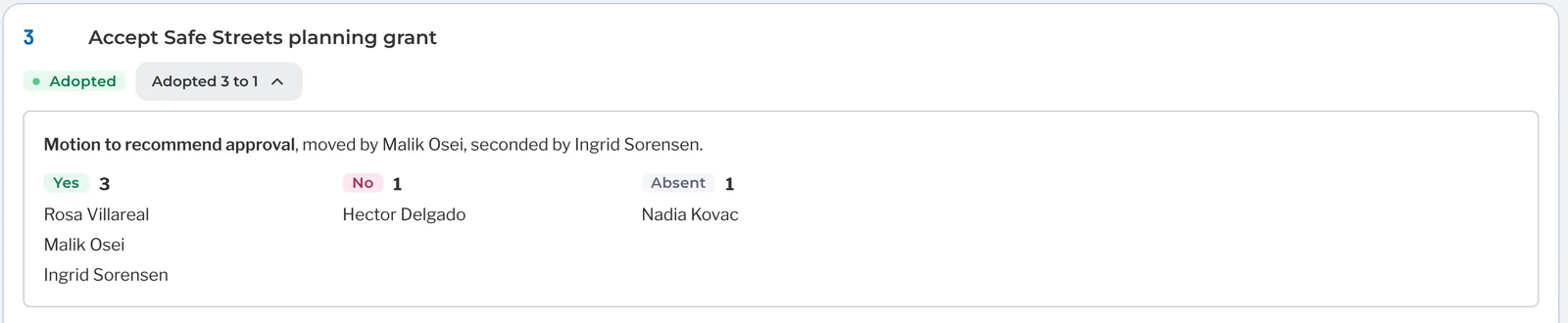
- Add the roll call, motions and each member’s vote to the Action Minutes draft.
- Show the result on the public agenda as soon as you record it.
- Download every vote onto a spreadsheet when someone asks how members voted.
Capture every vote, including voice votes and a show of hands
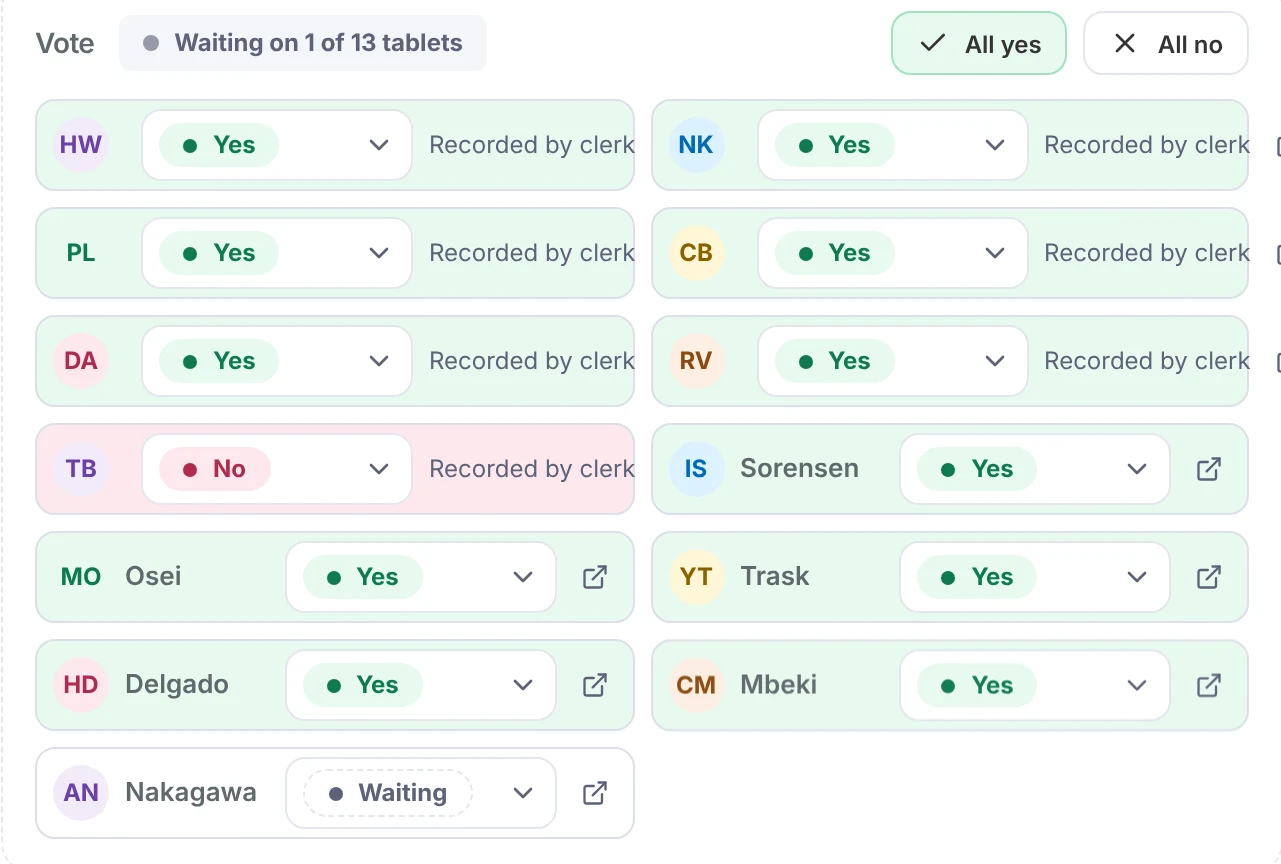
- Enter each seat’s vote in one tap for a hand or voice vote.
- Mark everyone Yes at once for a unanimous voice vote.
- Fix a mistake on the spot, with the original vote kept in the history.
The PublicInput Meetings suite
Explore the rest of PublicInput Meetings
Each product works on its own or together, so you can start with what you need and add more when you’re ready.
Questions clerks ask about voting
Our board is wary of AI. Does a computer decide what the motion was?
No. Live Voting drafts the wording, the mover and the seconder from the meeting audio, and nothing goes on the floor board or into the record until you confirm it.
Does it work with our dais hardware?
It runs in the browser on the tablets or laptops already at the dais, so there’s no voting hardware to install. If your board has no devices, you run the whole vote from the console.
Some of our members vote with a hand or their fingers. What then?
Enter those votes seat by seat, or mark everyone Yes for a voice vote. They count the same as a tablet vote.
Can each board have its own voting rules?
Yes. Set quorum and the passing threshold for each board, committee or commission. A rule change never changes a vote already taken.
Can the clerk correct a vote after it’s recorded?
Yes. Fix it on the spot, and the original stays in the history.
See a vote in motion
Send us your last agenda and we’ll run its votes.
Watch a vote go from the first motion to the final count.