
Agendas
Get the agenda out without having to chase departments.
Keep agenda preparation and meeting packets organized and on schedule ahead of every meeting.

HOW IT WORKS
Keep agendas moving without delays
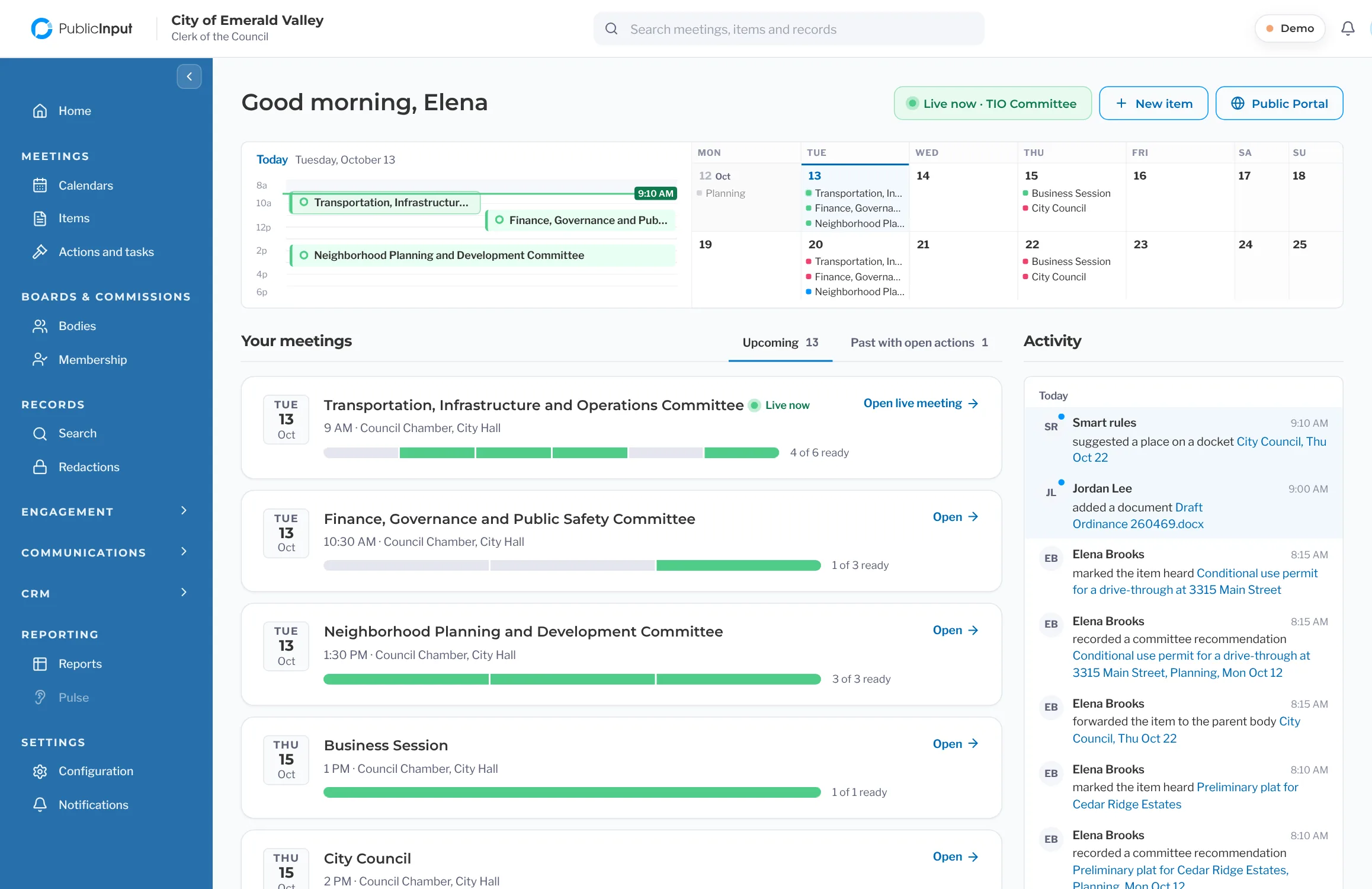
Give staff more time to focus on preparing for successful meetings. Department submissions and approval workflows keep items moving, while deadline tracking helps you spot delays early. That means meeting materials are more likely to be ready on time.
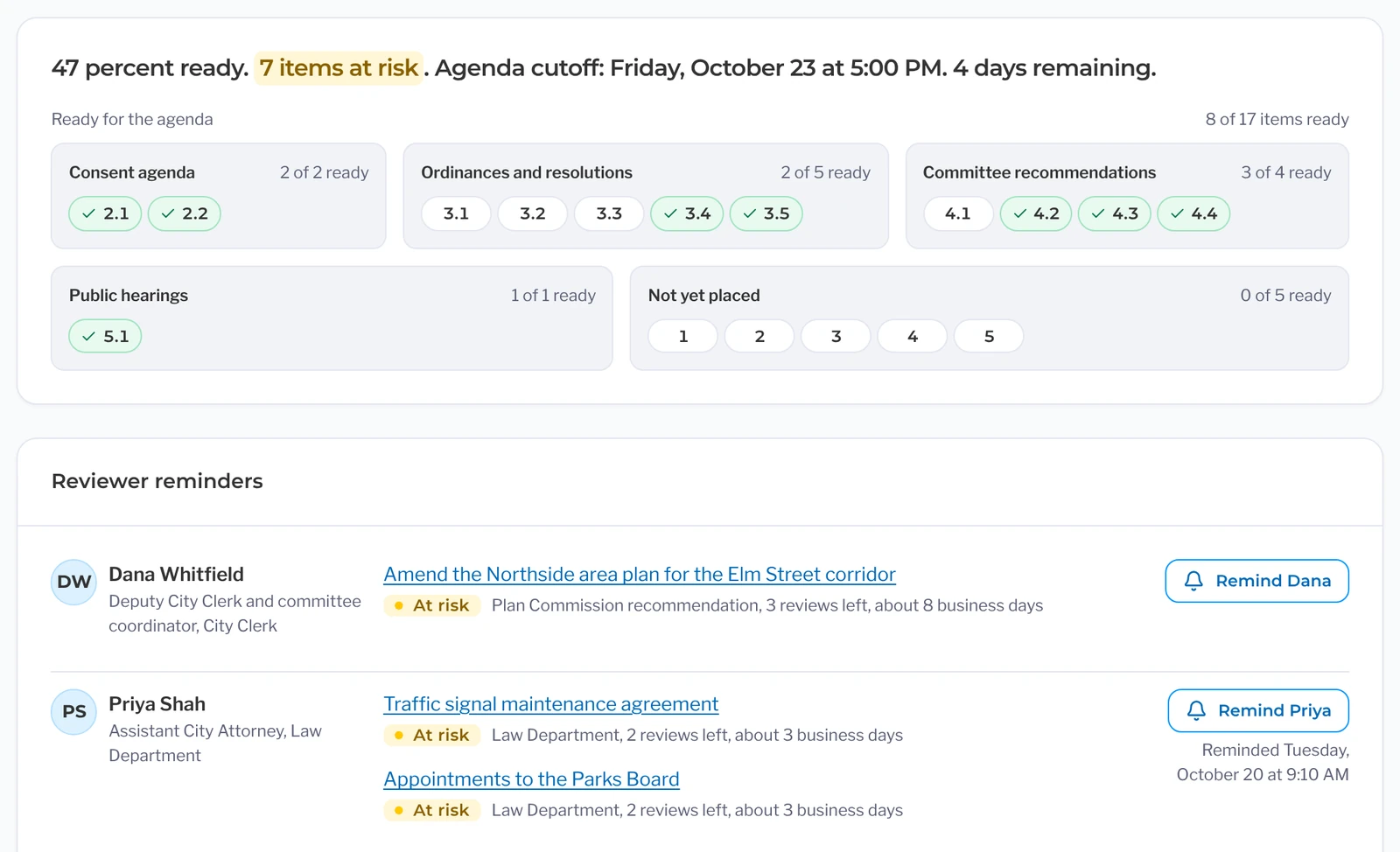
Each item shows its meeting’s cutoff and whether it will make it, so you spot delays days ahead.
Items are grouped from the consent agenda to public hearings with a ready count, and unplaced items sit in their own row.
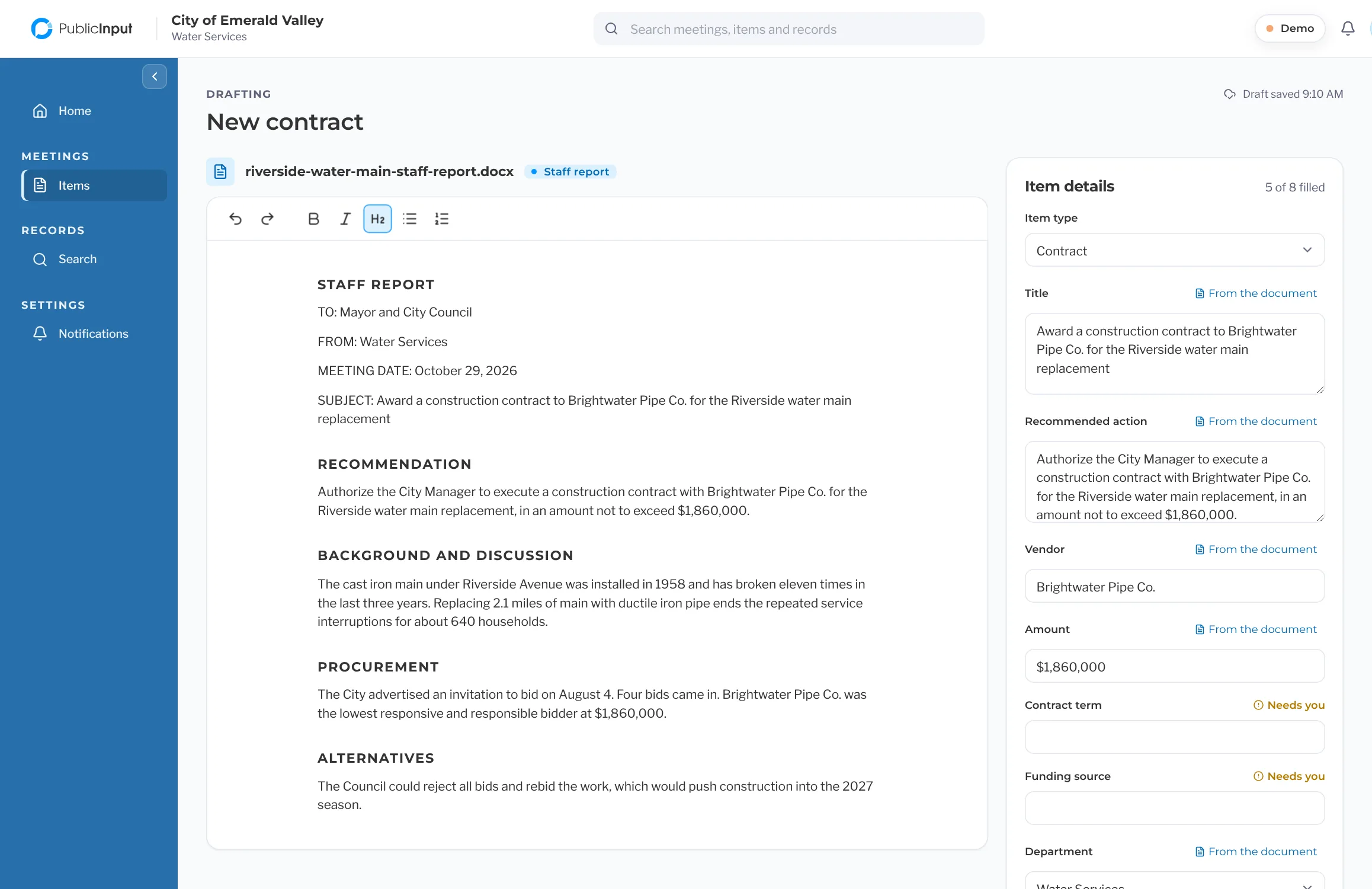
Upload a Word or PDF report and the title, recommendation and attachments fill in, with anything missing flagged.
A timeline on every item shows where it is and who approved it, and fixes go back to the right person.
See who has an at-risk item and for how long, then send a reminder without needing to pick up the phone.
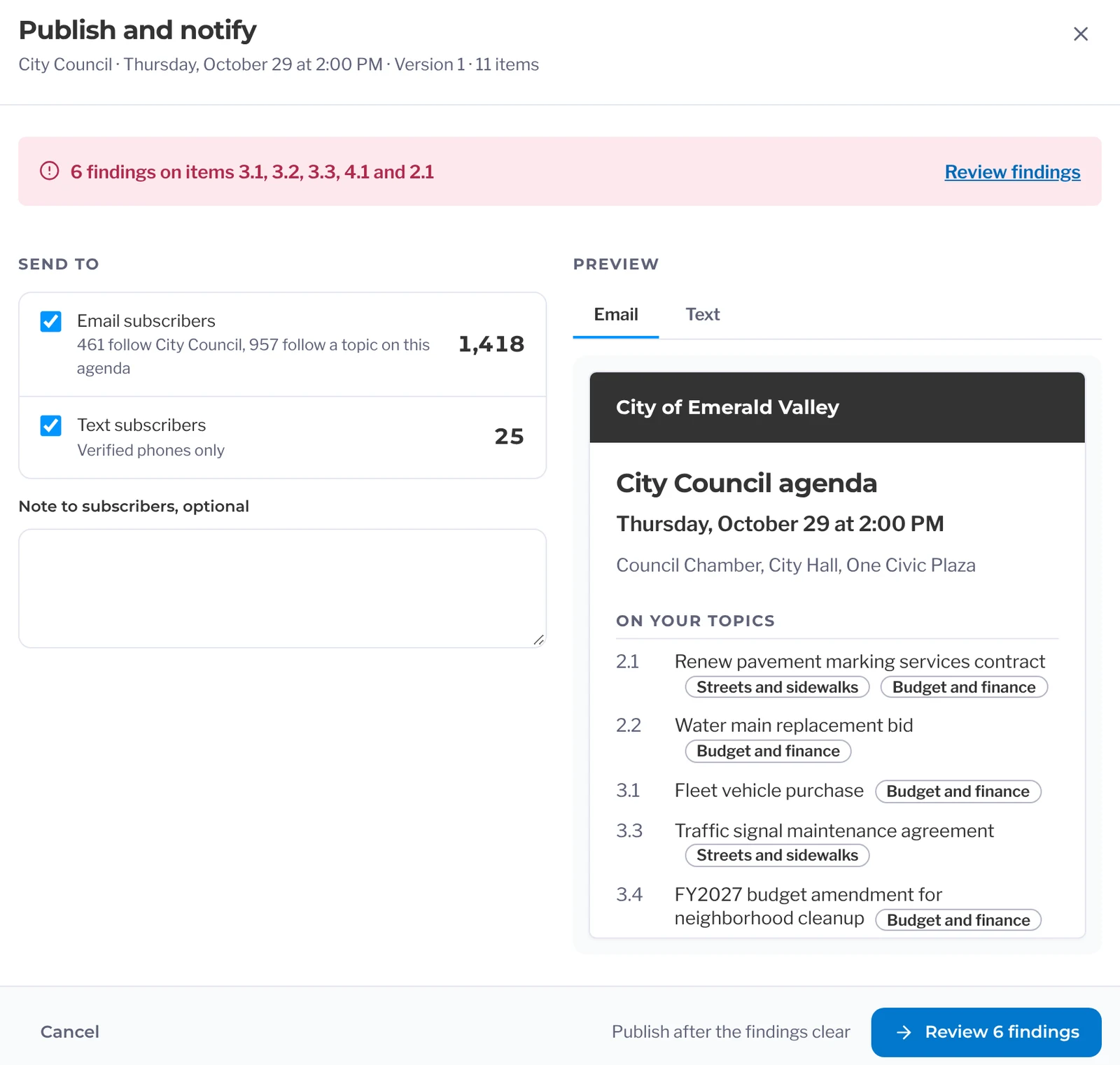
Nothing goes out with a missing attachment or unapproved item, and supplementals post to the same link.
Before and after
Spend less time assembling agendas
Meeting deadlines is one thing. Getting every item ready for publication is another. PublicInput carries submitted items into the agenda workflow, automatically updates numbering and page numbers, and publishes the agenda, packet, and notice together. This means staff can spend less time formatting documents and coordinating updates.
Call around to find out which items are still out.
Check the agenda dashboard to see which departments have submitted their items and which are still pending.
Copy and paste the captions from each Word document into the agenda.
When a department submits an item and staff report, that information carries into the agenda.
Combine the PDFs and fix the page numbers by hand.
Reorder items between agenda sections and the page numbers will update automatically.
Publish the agenda twice and hope you didn’t miss a step.
Publish the agenda, packet, and public notice together instead of updating each separately.
A supplemental comes in late in the afternoon. Do it all over again.
Add supplemental materials to the existing agenda so the public can continue using the same link.
What’s Included In
Agendas
Publishing and Notices
Publish agendas and keep updates under control.
- Manage agenda packet publication and review notices before they go out.
- Preserve previous agenda packet versions when corrections are needed.
- Schedule publication and manage notices with ease.
Staff Report Drafting
Give every agenda item a clear starting point.
- Start with an existing document, pasted text, a previous item, or a blank form.
- Catch missing information and required documents before submitting.
- Check meeting dates and submission deadlines, then submit the item and receive a file number.
From Agenda to Minutes
Support organized meetings from the agenda to the final record.
- Give residents a place to review agendas and sign up to speak on specific items.
- Coordinate speakers and manage meeting-day logistics with Live Meetings.
- Carry meeting activity forward into the meeting record and use recordings to help draft minutes.
PublicInput Action Minutes
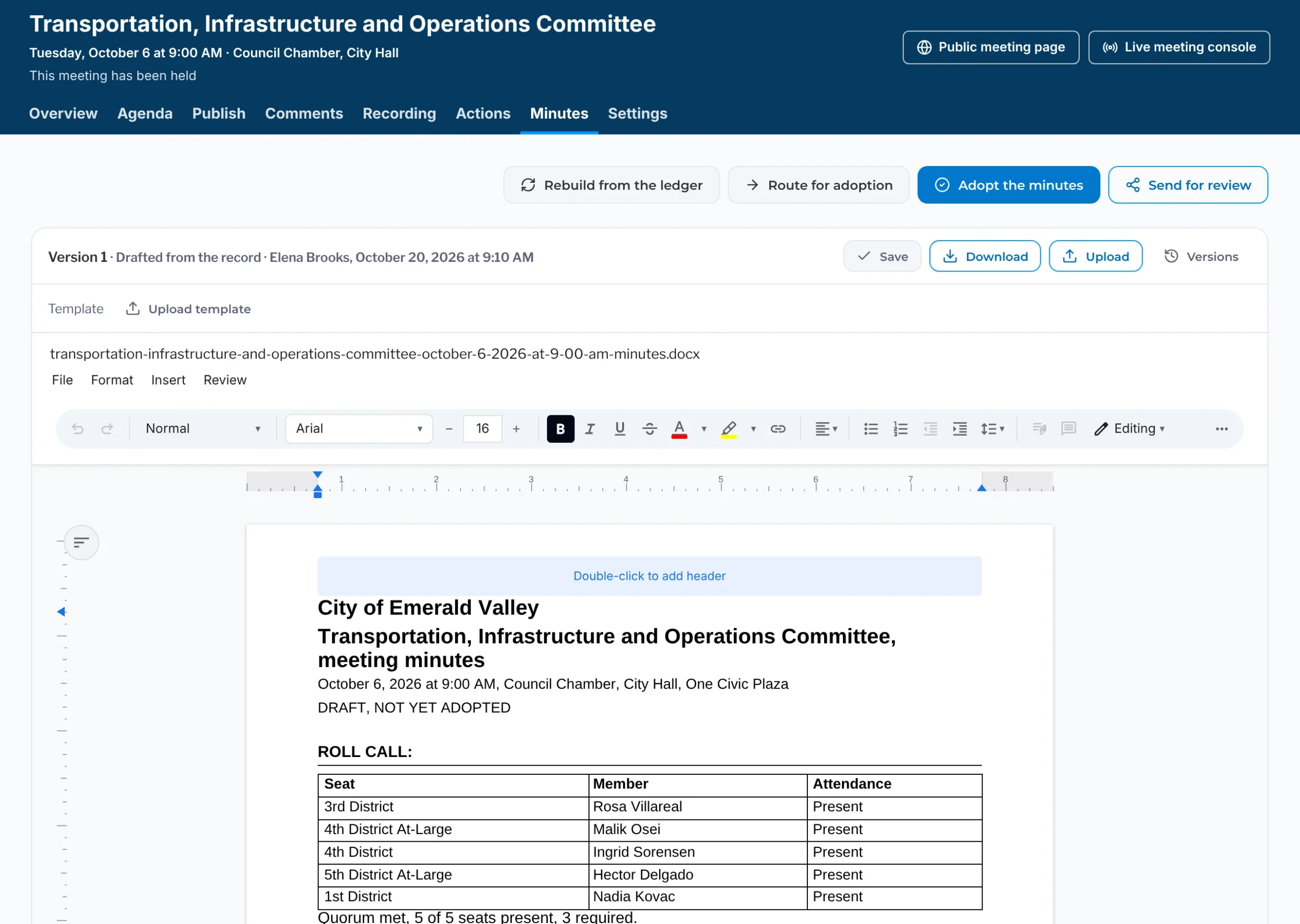
Generate draft minutes from meeting recordings.
- Organize roll call, motions, seconds, votes, and public comments by agenda item.
- Link agenda items to relevant moments in the recording.
- Carry agenda links and attachments into the meeting record.
Records and Search
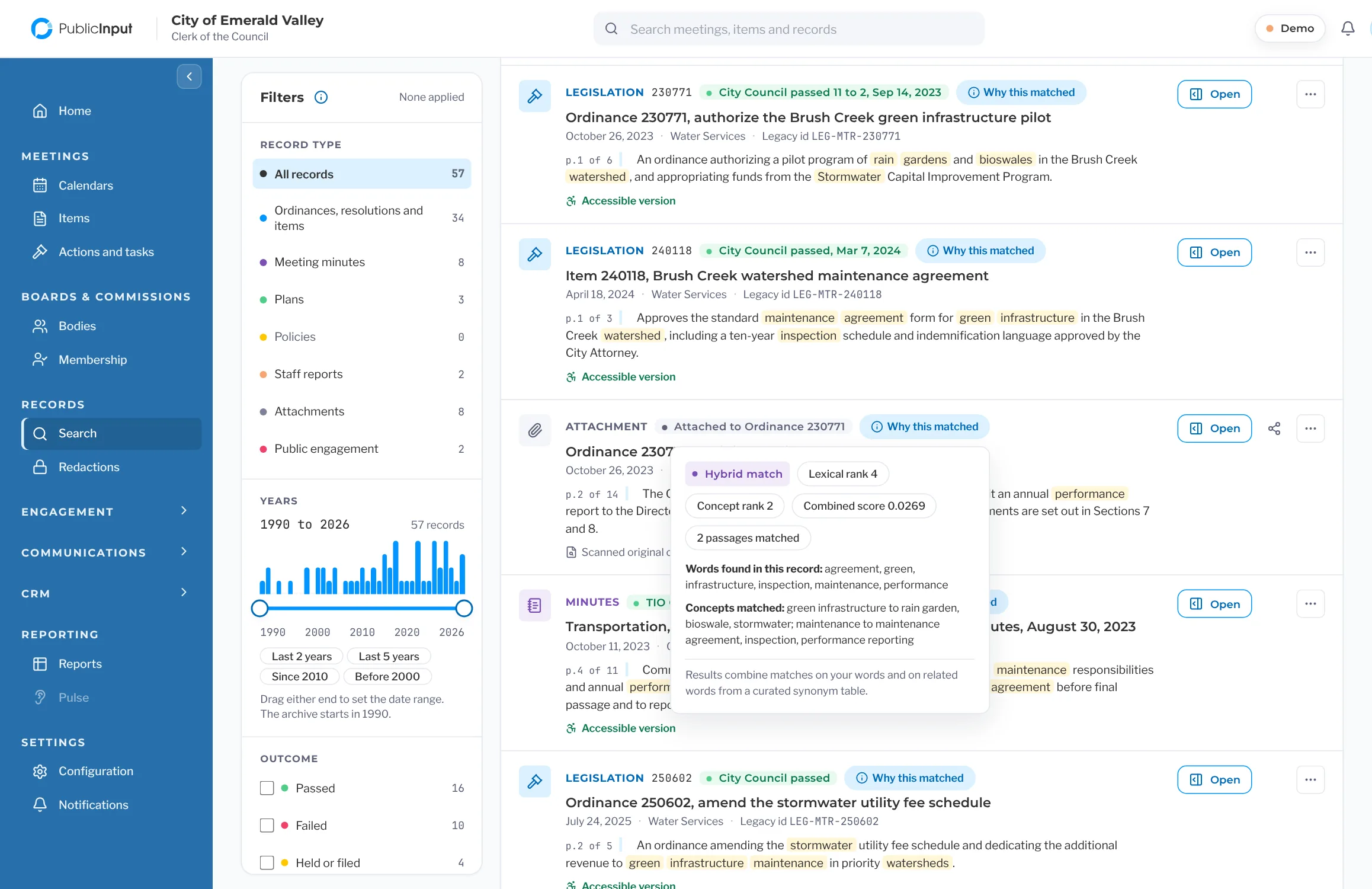
Find important public records without having to constantly dig through files.
- Search and filter records to find relevant documents and share them with a link.
- Open records from a permanent link and access related recordings and transcripts.
- Manage redactions, retention, and record exports with the appropriate permissions.
The PublicInput Meetings suite
Explore the rest of PublicInput Meetings
Each product works on its own or together, so you can start with what you need and add more when you’re ready.
Questions clerks ask us
Can we keep our numbering and our consent agenda?
Yes. You set up your sections and numbering once, and the builder numbers items as you drag them in. Consent items stay together under consent.
What happens when an approver is out?
Their items go to a backup, and the route keeps moving while they’re gone. You don’t have to log in as them to turn it on.
Do agendas still show up on our website?
Yes. The public agenda page comes with PublicInput Meetings, and with agenda sync [Agenda sync tier: confirm with product], the agenda also shows up on the website residents already use. Nobody posts it twice.
What about the ADA deadline for our website?
Every attachment gets an accessible version when you publish, and the public agenda pages meet WCAG 2.1 AA. The ADA Title II web rule applies on April 26, 2027 for governments of 50,000 or more and April 26, 2028 for smaller governments and special districts.
We’re on Legistar. What happens to our records?
They come with you. Your agendas, packets, minutes and video come over as records that keep the shape of your originals. The same goes for IQM2, which Granicus is retiring, and for NovusAGENDA. Setup and migration typically take a few weeks, and your records are in place before you go live. See what comes across from Legistar
See it with your own meetings
Want to build your next agenda with PublicInput?
We’ll share how agenda items move from submission to approval and publication in one go.