
Broadcasting and Video Archive
Turn every meeting recording into a searchable public record.
Stream to your meeting page, YouTube and cable. Each recording is chaptered by agenda item, captioned and searchable by what was said, so residents, reporters and staff can jump straight to the moment they need.
HOW IT WORKS
Every recording arrives chaptered, captioned and ready to share
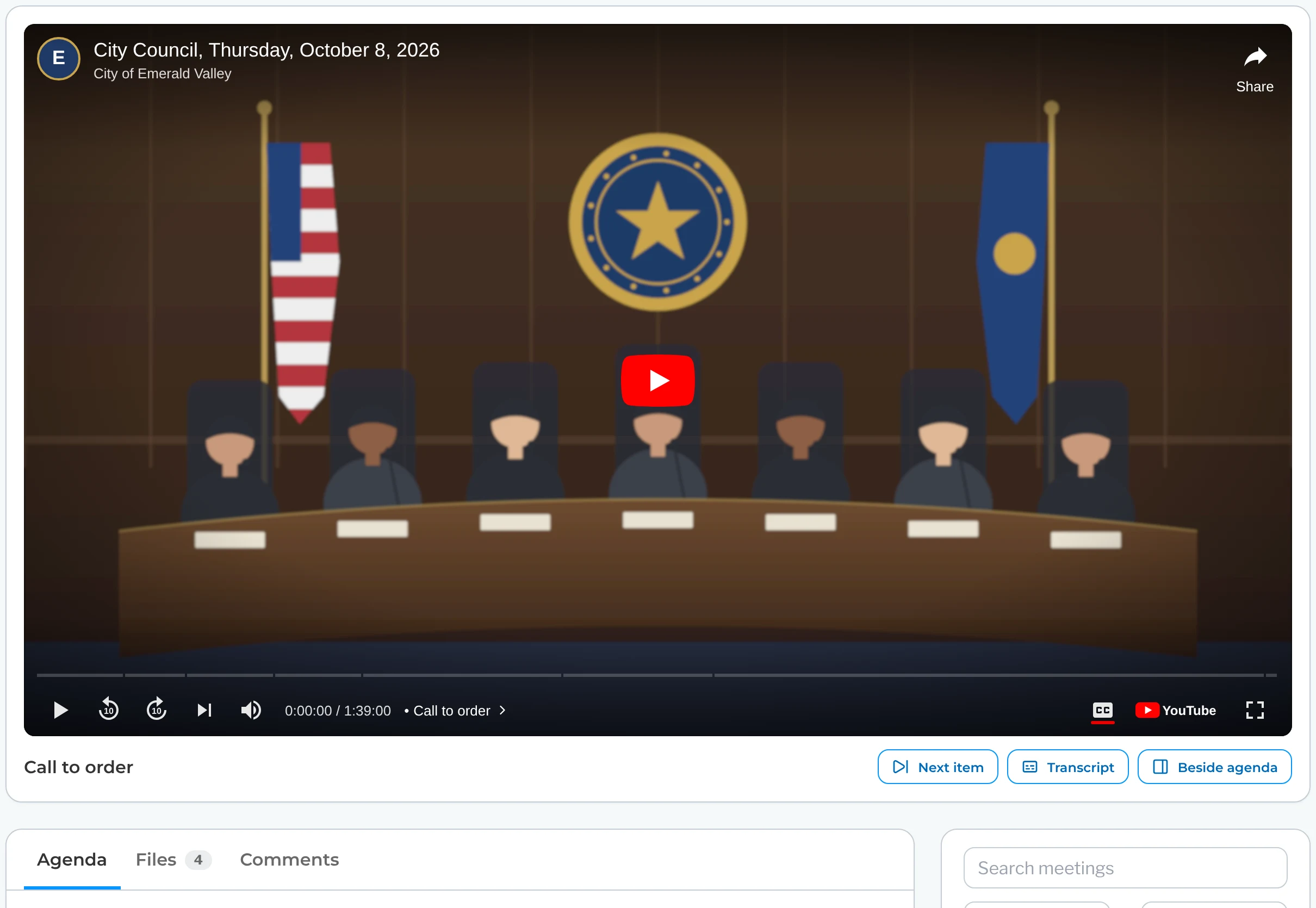
As the meeting moves from item to item, PublicInput marks where each one starts in the recording. When the meeting ends, the video is already chaptered by agenda item, captioned and stored on Microsoft Azure alongside your agendas and minutes. If a mark is a few seconds off, move it on the Recording tab.
Meeting recording · chaptered by agenda item
Stream everywhere at once
Go live in HD to your meeting page, YouTube and your cable channel at the same time. Captions travel with the stream, so residents can follow along wherever they watch.
Follow along from home
The player names the agenda item being discussed, so anyone who tunes in late knows exactly where the meeting is.
Send one link
Each agenda item opens the recording right where it starts, with the vote and public comments beside it. Staff, residents and reporters can share that link anywhere.
Search
Search what was said during every meeting
Type a street name or a topic and get the moments it came up across your meetings. Each one opens the recording at that spot.
Closed session keeps its place on the public recording, with no item named and no transcript.
Your channels
Keep your own YouTube and cable channels
Residents keep watching where they already do, and your AV team keeps running the cameras and sound.
What’s Included In
Broadcasting and Video Archive
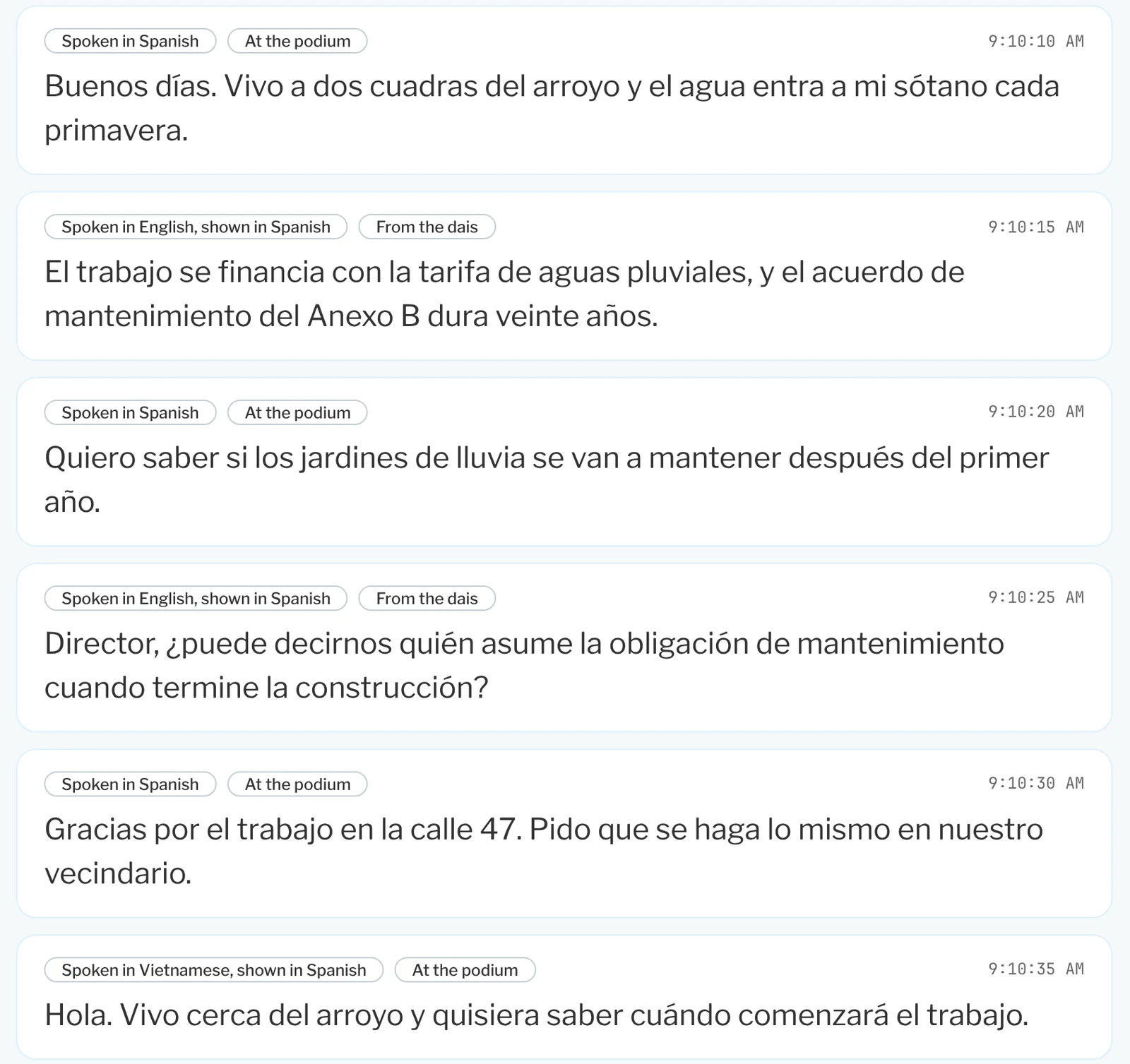
Give every recording captions residents can follow
- Show live captions alongside the meeting as it streams.
- Label each caption block with who was speaking.
- Keep the captions with the recording so anyone can read along later.
Run the stream from the console you already use
- See stream health, chamber audio and room displays on one screen.
- Mark each item’s start in the recording as you move the meeting forward.
- Adjust any mark on the Recording tab after the meeting.
Send a link that opens right at the vote
- Open the recording where each item starts with one timestamp button.
- Show the vote result and public comments beside each item.
- Draft PublicInput Action Minutes from the same recording.
The PublicInput Meetings suite
Explore the rest of PublicInput Meetings
Each product works on its own or together, so you can start with what you need and add more when you’re ready.
Questions about meeting video
Our streaming works fine today. Why add this?
Keep it. This is for after the meeting, when someone asks for the video of one item and you have to find it and send it.
Do we keep YouTube?
Yes. Keep streaming to YouTube and your cable channel. The meeting also plays on your meeting page.
Do we need new cameras or an encoder?
No. Keep the cameras, the sound and whoever runs them today.
What about our old meeting videos?
They come with you through the same migration as your agendas and minutes, and land on the meeting they belong to. Where your old system kept item timestamps, those carry over.
What if the item marks are off?
Move them on the meeting’s Recording tab. The player, the meeting page and search all follow the new time.
See it with your own meeting
Send us a recent recording and see it chaptered by agenda item.
We’ll load it so you can search what was said and share a link to any item.