Public Comment Analysis: The Power of GPT for Community Engagement
Every day, community engagement planners and communicators grapple with diverse challenges, making the entire process from strategic planning to initiative launch time-consuming. Successful engagement generates a wealth of public comments, crucial for defensible decision-making and community development.
However, the hurdle lies in navigating this data to derive actionable insights. Manual coding, analysis, and interpretation are prone to errors and time-consuming inefficiencies. Enter GPT Comment Analysis, our cutting-edge AI tool. This innovative solution assists community engagement practitioners in efficiently identifying, sorting, and tagging public comments.
Three Ways GPT Comment Analysis Can Help Planners and Communicators Automate and Elevate Their Operations
1. Save Valuable Time
Time is one of the most precious resources for community engagement practitioners. Less time spent performing manual comment analysis means more time to focus on engagement initiatives. Hours spent combing through public comments to identify key themes can be reduced to minutes with the power of AI. GPT Comment Analysis can scan thousands of comments in seconds, identifying themes, analyzing sentiments, and applying tags.
2. Make Informed Decisions
One of the chief concerns of manual comment coding and analysis is the opportunity for error– not because of any intentional bias or wrongdoing, but because even the most well-intentioned practitioner can fall prey to internal bias, misinterpretation, or even just miss a comment every now and then. It’s only natural when faced with so many public comments to review, tag, and analyze.
AI-themed comment analysis can boost and enhance your engagement; the bulk of the work is performed automatically, removing the chance of a comment slipping through the cracks or being misinterpreted. Planners and practitioners can focus on interpreting and applying insights to decision-making, knowing that they’re seeing the whole picture.
3. Enhance Your Projects & Initiatives
The power of streamlining analysis and decision-making can improve your engagement over time. More accurate data and insights enhance your understanding and planning for future initiatives or multi-step engagement projects. Combining public comment analysis and reporting with other data, such as demographic data, can help you build a better understanding of which issues are most important to different community groups. Planners and practitioners can dream bigger and expand their reach, creating a more streamlined process for engagement within their communities.

How does it work?
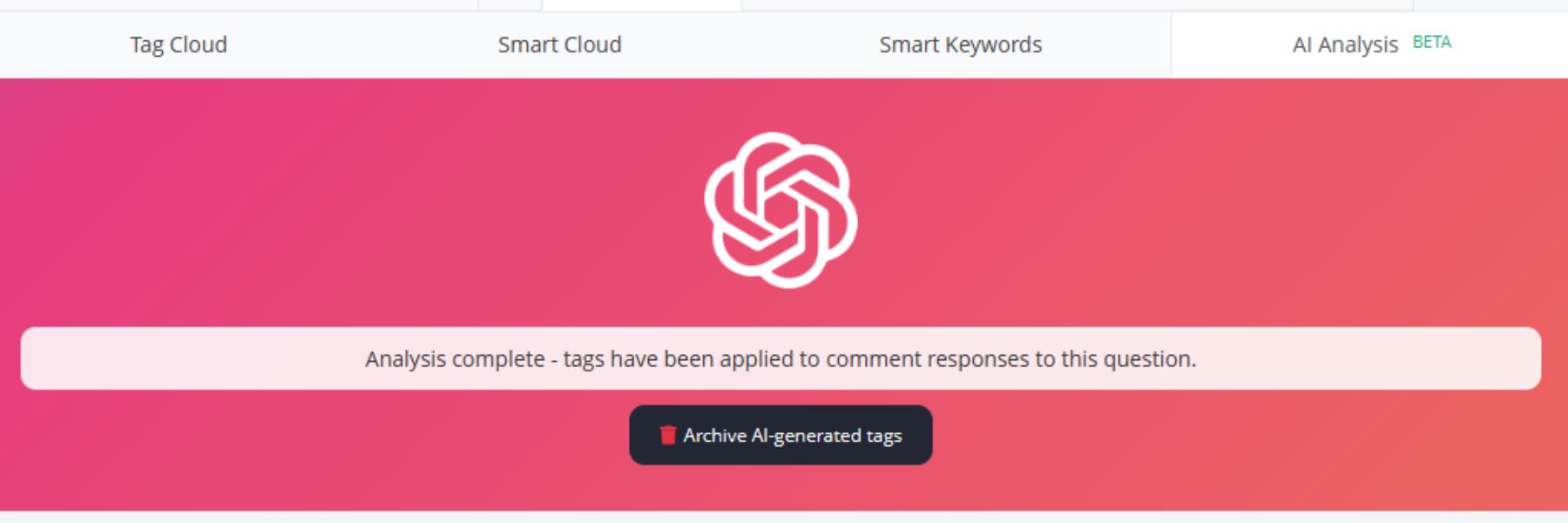
The new GPT Comment Analysis tool is accessible via the “Comment” tab on project pages, in the same location as the Tag Cloud, Smart Cloud, and Smart Keywords tools. PublicInput users with Engage Plus will now be able to use a fourth option, AI Analysis. When selected, the AI Analysis tab will offer users the opportunity to run AI Comment Analysis on responses to survey questions. Once activated, the AI will…
- Utilize language models to identify common trends in words and themes (example: identifying words like transportation, pedestrian, or safety as thematic elements)
- Automatically generate tags based on the most prevalent themes
When the analysis is complete, users can then choose between a variety of options to ensure control and accuracy.
- Apply tags as is
- Review, edit, and modify tags before application
- Edit tags after application
GPT Comment Analysis offers the ideal blend of AI and human oversight. For example, if your agency uses consistent tags across all projects, you might want to change an auto-generated tag of “roads” to “infrastructure.” You can also manually add tags post-analysis to create more nuance in your comment management.

How does it work?
The new GPT Comment Analysis tool is accessible via the “Comment” tab on project pages, in the same location as the Tag Cloud, Smart Cloud, and Smart Keywords tools. PublicInput users with Engage Plus will now be able to use a fourth option, AI Analysis. When selected, the AI Analysis tab will offer users the opportunity to run AI Comment Analysis on responses to survey questions. Once activated, the AI will…
- Utilize language models to identify common trends in words and themes (example: identifying words like transportation, pedestrian, or safety as thematic elements)
- Automatically generate tags based on the most prevalent themes
When the analysis is complete, users can then choose between a variety of options to ensure control and accuracy.
- Apply tags as is
- Review, edit, and modify tags before application
- Edit tags after application
GPT Comment Analysis offers the ideal blend of AI and human oversight. For example, if your agency uses consistent tags across all projects, you might want to change an auto-generated tag of “roads” to “infrastructure.” You can also manually add tags post-analysis to create more nuance in your comment management.