
Text Messaging
Reach people where they are with instant text messages.
Use SMS to make timely announcements or pass information to a device people already use every day.

Overview
Connect With More People Through Text
From service disruptions and closures to survey invitations and meeting reminders, send timely text messages to the people who need them.
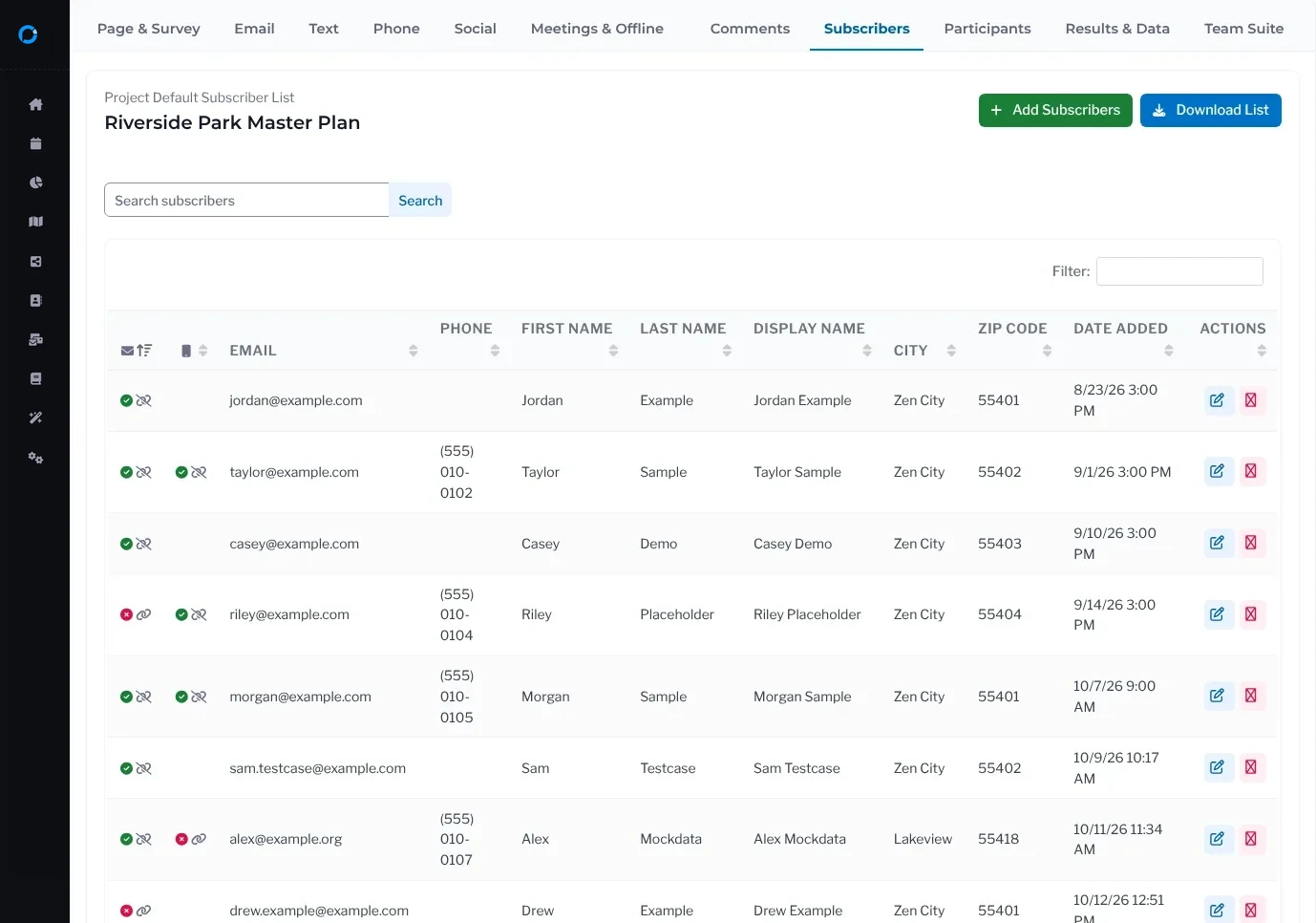
- Reach your existing audience by texting the same subscriber lists you use for email
- Know your reach before sending with a preview of how many phones will receive your message
- Make it easy to subscribe with keywords people can text after seeing them on flyers, signs, and utility bills
- Collect feedback in multiple languages with text-based surveys in Spanish and other languages, each with its own keyword
We have found that urban areas like texting, rural areas like going to the website.
What’s Included In
Text Messaging
Targeted Texts
Ensure that each text sends to the right contacts who opted in.
- Send messages to people following specific topics, like road closures, or to everyone subscribed to a particular project using the same subscriber lists as email.
- Include only contacts who have given permission to receive SMS updates.
- Automatically process STOP, UNSUBSCRIBE, and CANCEL requests while allowing subscribers to opt out of individual topics without losing updates from other subscriptions.
Two-Way Conversations
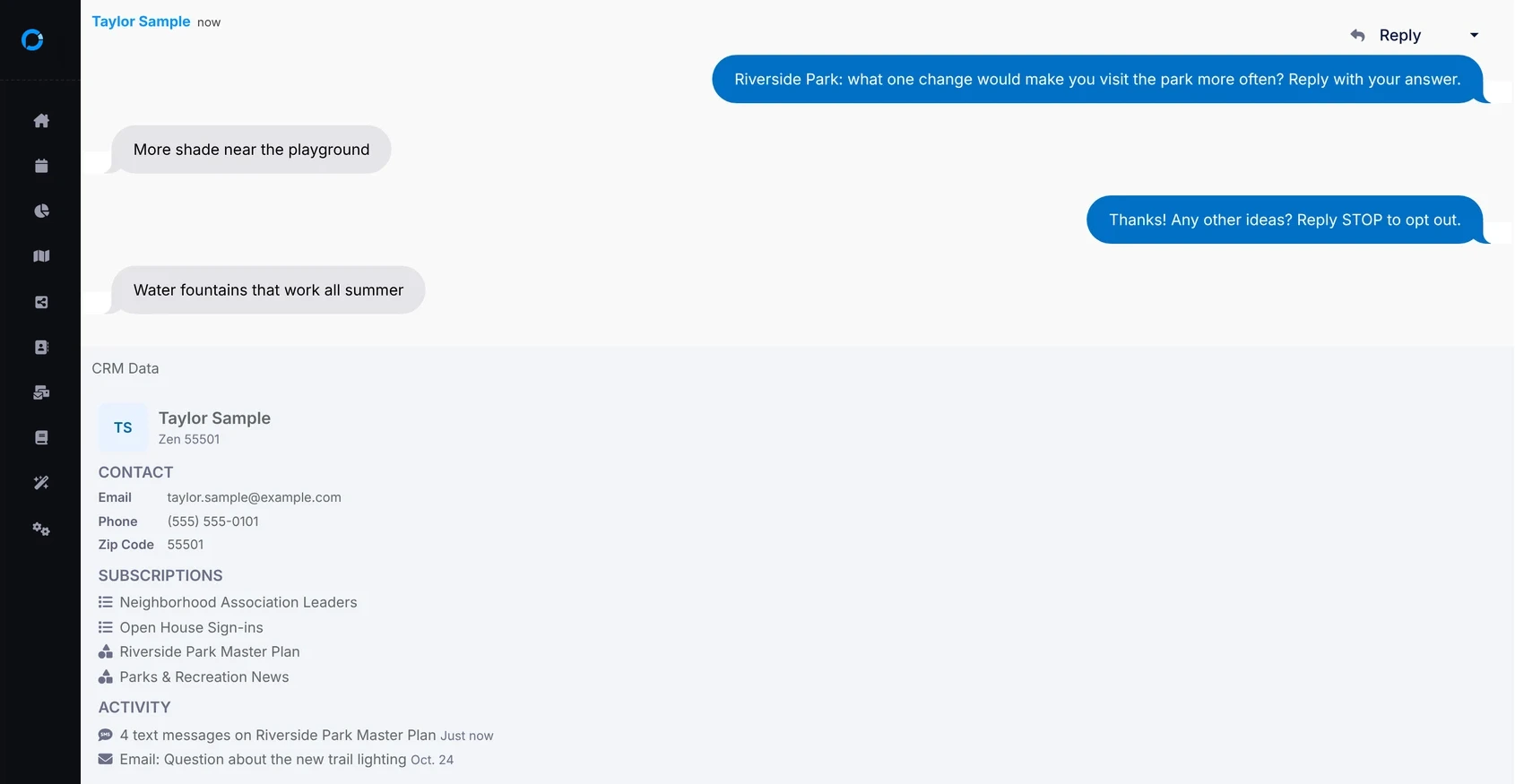
Respond to residents who text back with an entire history in view.
- View text conversations alongside each contact’s record to understand who you’re communicating with and see previous interactions.
- Keep project-related text messages connected to the project’s comment list, alongside feedback submitted online.
- Bring text survey responses into the same survey results as online submissions for a more complete view of community feedback.
Texts With Your Newsletter
Add a short text to the campaign you already wrote.
- Create an email campaign and add a corresponding text message for those who prefer SMS.
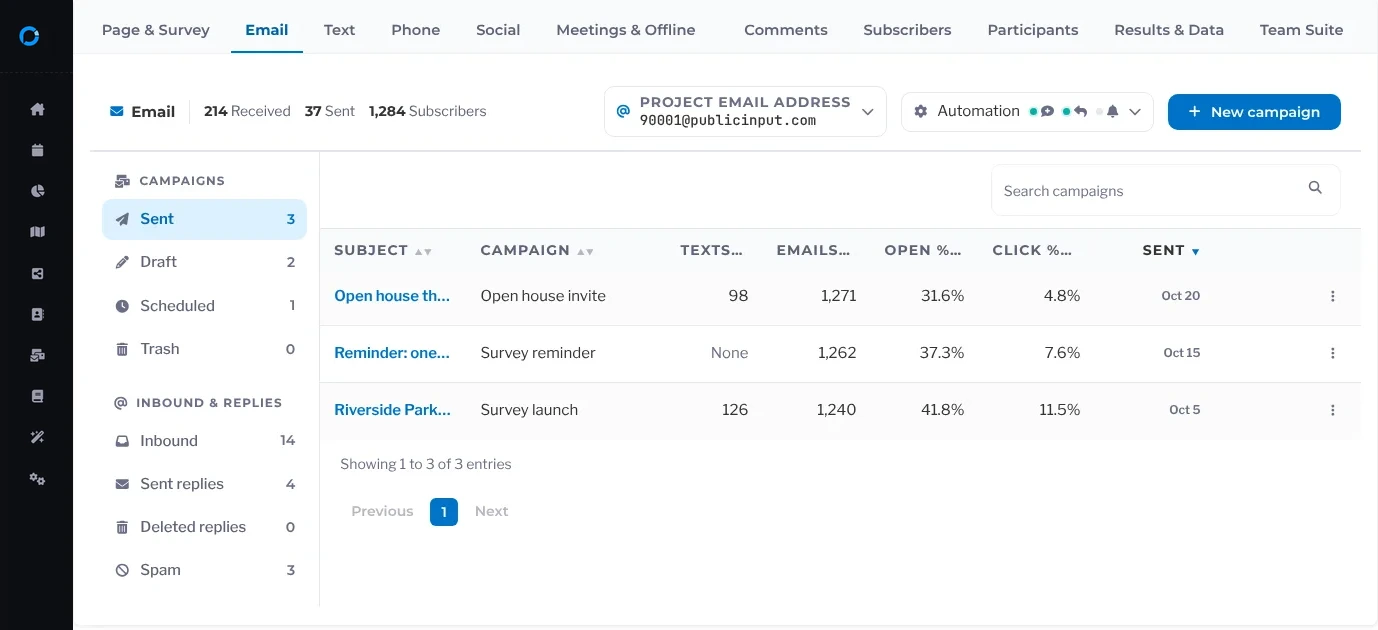
- View email and text delivery results together to understand how many people each channel reached.
- Reach both inboxes and phones through a single campaign, as demonstrated by Riverside Park’s survey launch, which reached 1,240 email inboxes and 126 phones.
Residents who want texts from local government
Source: PublicInput 2024 State of Community Engagement Report, 1,000 residents surveyed
PublicInput resident research · 2024
53%
of English-speaking residents want to hear from local government by text
We asked 1,000 residents how they want to hear from local government. Text came in third and is climbing, with 39% of Spanish speakers asking for it too.
PublicInput Communications
Explore the rest of PublicInput Communications
Each product works on its own or together, so you can start with what you need and add more when you’re ready.
Questions about Text Messaging
Do residents have to opt in?
Only a verified phone with a text opt-in can be texted. Residents can opt in on a sign-up form, on your hub, or even by texting a keyword from a flyer.
What happens when someone texts STOP?
They’re taken off texts right away, and the opt-out sticks. Their email subscriptions stay as they are, so they can still hear from you that way.
How do residents not confuse our text as spam?
Only residents who opted in get your texts, and every text links to your own project page so they know it’s you.
See Text Messaging in action
Get your next update to residents’ phones
We’ll walk you through sending texts, tracking who they reach and replying to residents, all from one place.