
Meetings · Regional and metropolitan planning organizations
Meeting management software for RPOs and MPOs
Every board and committee meeting takes hours to prepare, run and document, and most regional planning organizations have no one dedicated to meetings. The problem is not effort. It is disconnected tools. PublicInput keeps the agenda, registration, the recording and the minutes for every board in one place the public can find.
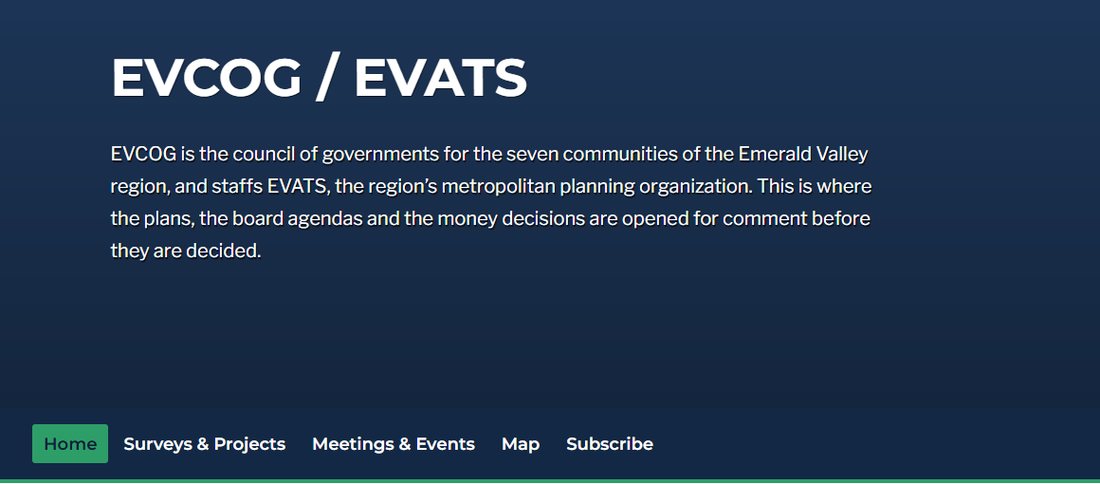
Every board runs the same cycle
A policy board, a technical committee and a citizens advisory committee all follow the same three steps. The work is the same each time, so it should not have to be rebuilt each time.
- Before: post the agenda Assemble it and get it in front of members and residents ahead of time, with a public notice and a way to register.
- During: hold the meeting Take the business of the board in person, online or both, with residents able to follow along.
- After: publish the minutes Approve the record and keep it findable next to the agenda and the recording.
Where the strain lands today
Most organizations run this well with the people they have. The strain lands in three places.
On staff
In our conversations with regional agencies, staff put it at 6 to 12 hours per meeting to assemble agendas, transcribe recordings and write minutes, usually on top of a full planning workload.
On board members
Local officials who sit on several boards adapt to a different format, a different packet and a different process for each one.
On the public
Agendas live on one site, the meeting runs in Zoom or Teams, registration happens in a separate form, and minutes post weeks or months later. Residents following a decision wait longer than anyone would like.
One place to find every meeting
Each board and committee gets a public page with its agenda, packet, minutes and video. All of them roll up into one meetings calendar that residents can search by keyword, date or topic.
- Subscriptions. Members and residents follow the boards and topics they care about and hear about the next meeting without checking a website.
- Accessible by default. Machine readable records, built in translation, and accommodation requests at registration.
- A record that stays put. Past agendas and minutes stay on the board page instead of in someone’s inbox.
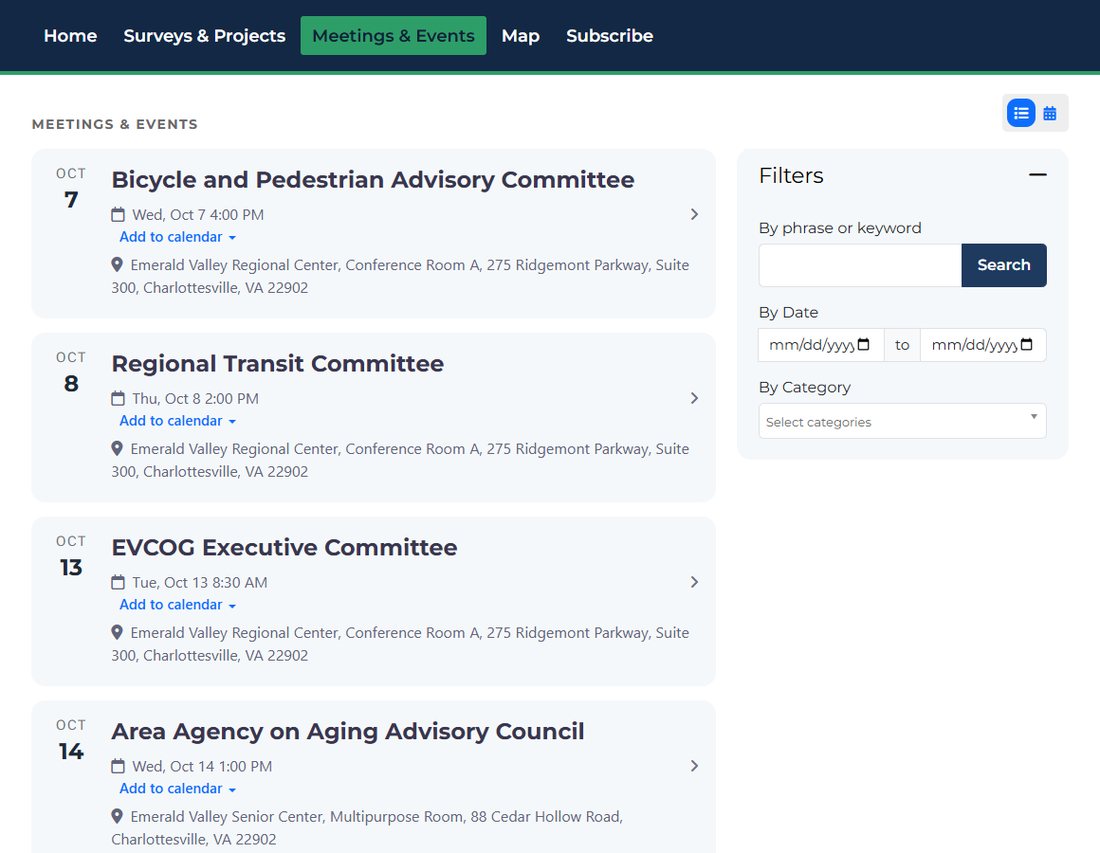
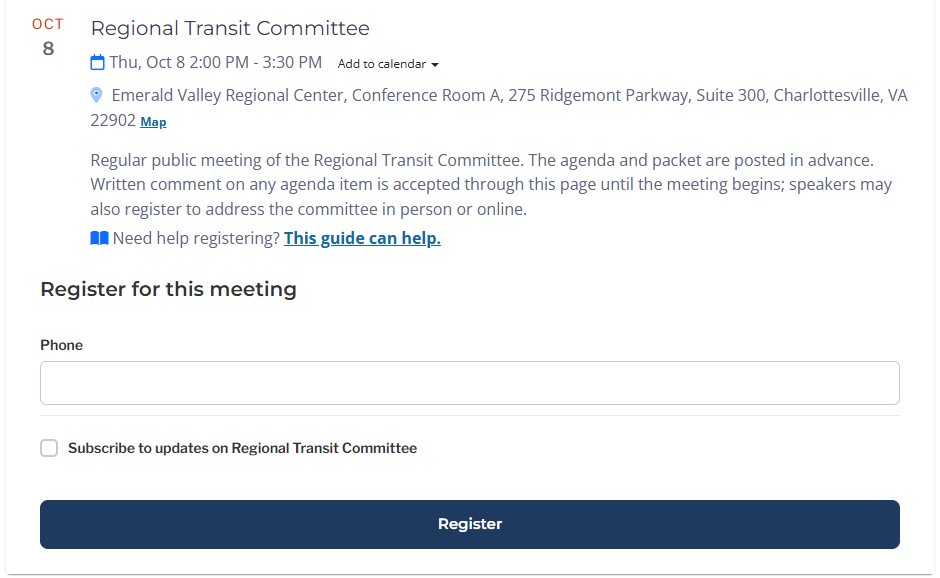
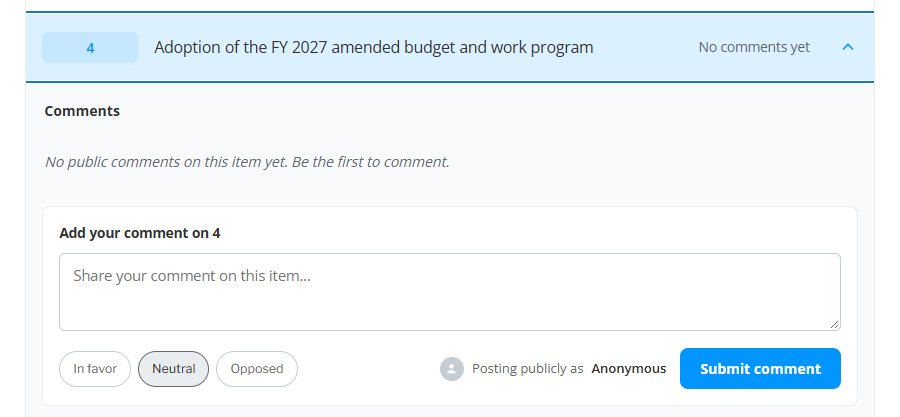
Residents register, read the agenda and comment on items
When you publish a meeting, its registration form comes with it. Residents register to attend from the meeting page, ask for an accommodation such as an ASL interpreter, and subscribe to the board in the same step. Every registration ties back to the meeting record instead of a separate spreadsheet.
Once the agenda is posted, a resident can open the one item they care about, mark a position of in favor, neutral or opposed, and leave a comment for the record. Members see comments sorted by item before the vote.
Two jobs, one workflow
Post the agenda
Build it in PublicInput, upload a Word document, or bring it in from the agenda software you already use. It publishes to a public page where members and residents can find it and subscribe. The agenda becomes the backbone everything else connects to.
Publish the minutes
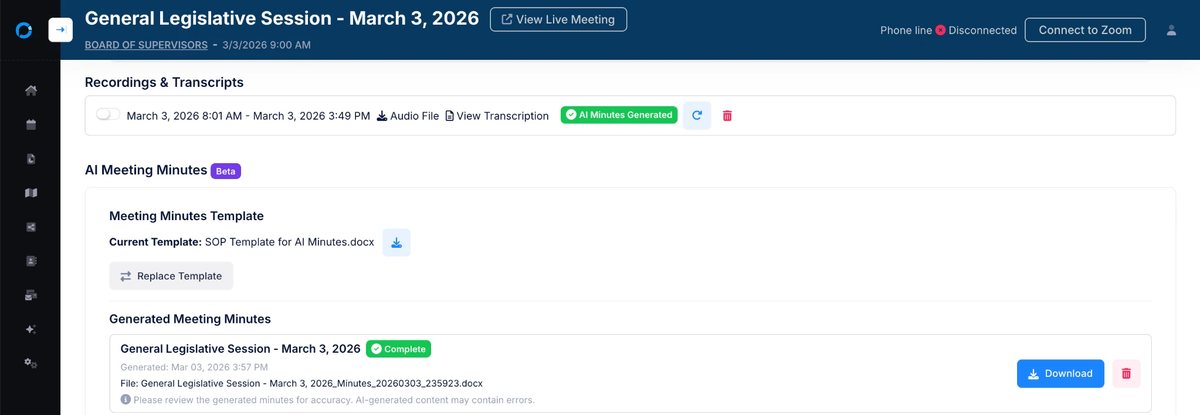
Members and residents join in person, from a browser or by toll free dial in, with Zoom, Teams or WebEx bridged into the same meeting. PublicInput captures and transcribes it, matches what was said to the agenda item it was about, and drafts minutes from your own template. Staff edit and approve the draft, and nothing publishes until a person says so.
What it means for an RPO or MPO
Consistency across boards
Standard agendas and minutes, so members who sit on several boards get up to speed fast.
Continuity of operations
Many RPOs are one person shops, and the record should not leave when the person does. Templates, past agendas, minutes and searchable transcripts stay in the system, so a director can keep meetings running through a vacancy and the next hire inherits a working process on day one.
Current records for reviews
MPOs are expected to give the public timely notice and reasonable access to information (23 CFR 450.316), and larger MPOs go through a federal certification review. Minutes that run two or three months behind become a gap in that record. Minutes that keep up close it.
Results
Proven in clerks’ offices and state DOTs
The same platform runs public meetings for one of the largest counties in the country and public involvement for a statewide transportation program.
San Diego County
The Office of the Clerk of the Board moved manual agenda updates, spreadsheet tracking and caller management into one meeting workflow.
North Carolina DOT
NCDOT brought outreach for the State Transportation Improvement Program into one place, so comments from every channel reach the right project.
- Less meeting prep and post processing time at San Diego County
- 26%
- STIP survey responses from North Carolina residents
- 11,202
- Residents who subscribed for STIP updates
- 2,124
Figures as published in San Diego County transforms public meetings and North Carolina DOT: modernizing public engagement for the STIP.
Questions RPOs and MPOs ask
What is meeting management software for an MPO?
It is the system an MPO or RPO uses to post agendas, take registration and public comment, run hybrid board meetings and publish minutes. The most useful ones keep every board and committee in one public place, so residents and members find meetings without knowing which site to check.
We are a one person RPO. Is this too much to take on?
It is meant for small staffs. The agenda, registration, recording and minutes live in one workflow, templates carry over from meeting to meeting, and minutes are drafted for you to review instead of written from scratch.
Do we have to replace our agenda software or Zoom?
No. You can build the agenda in PublicInput, upload a Word document, or bring it in from your agenda tool. Zoom, Teams and WebEx can be bridged into the same meeting.
Can residents comment on a single agenda item?
Yes. Each item has its own comment box with a position of in favor, neutral or opposed. The comment is recorded against that item and is available to members before the vote.
Do AI drafted minutes publish automatically?
No. The draft is built from your template, the agenda and the transcript, then held for staff to edit and approve. Nothing publishes until a person approves it.
How does this help with a certification review?
Reviews look at how the MPO informs and involves the public. Agendas posted ahead of time, registration and comment tied to each meeting, and minutes that keep pace with the meetings give you a complete, dated record to point to.
See it with your own boards
Tell us about your organization and the boards you staff. We will walk you through posting an agenda, taking registration and comment, and drafting minutes for one of your real meetings.
Run more meetings in less staff time
PublicInput keeps the calendar, the agenda, registration, comment and minutes for every board in one place.
See meetings solutions