Board Meeting Management for Regional Councils, MPOs and Transit Agencies
A regional agency runs more boards than most cities, usually without a clerk. Residents who want to follow a decision have to know which committee is taking it up, which website posts it and which PDF holds the agenda. PublicInput puts every board meeting in one public place, where people can find the meeting, read the agenda, register to attend and comment on the items they care about.
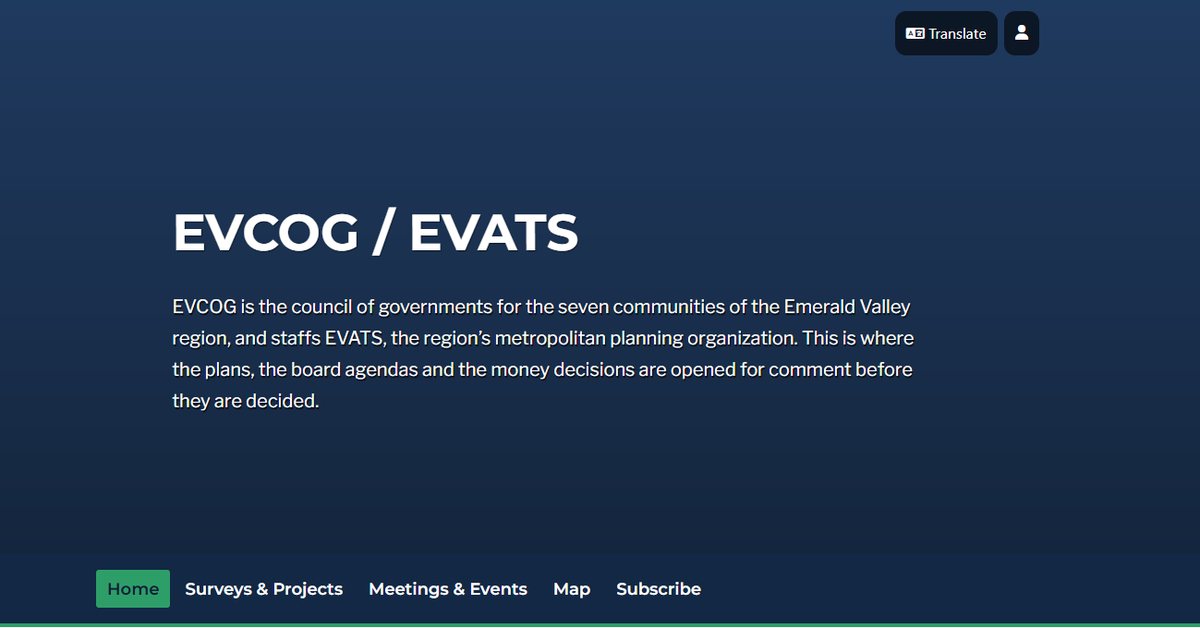
The screenshots on this page come from Emerald Valley Council of Governments, a PublicInput demo region that staffs a council of governments and an MPO from one portal.
Why meetings are harder for regional agencies
A council of governments might staff a board of directors, an executive committee, an MPO policy board, a technical committee, a citizens advisory committee, a transit committee and an aging council. Each one needs an agenda, a public notice, a place to register, a meeting and minutes.
Most of these agencies have no dedicated clerk, so the work lands on planners and program staff on top of their real jobs. In our conversations with regional agencies, staff put it at 6 to 12 hours for every meeting they prepare, run and document.
The tools rarely help. The agenda lives in one system, the meeting runs in Zoom or Teams, registration happens in a separate form, and minutes get written from a recording weeks later. None of it is connected, so residents have a hard time finding anything and staff rebuild the same context for every meeting.
Put every board meeting in one place
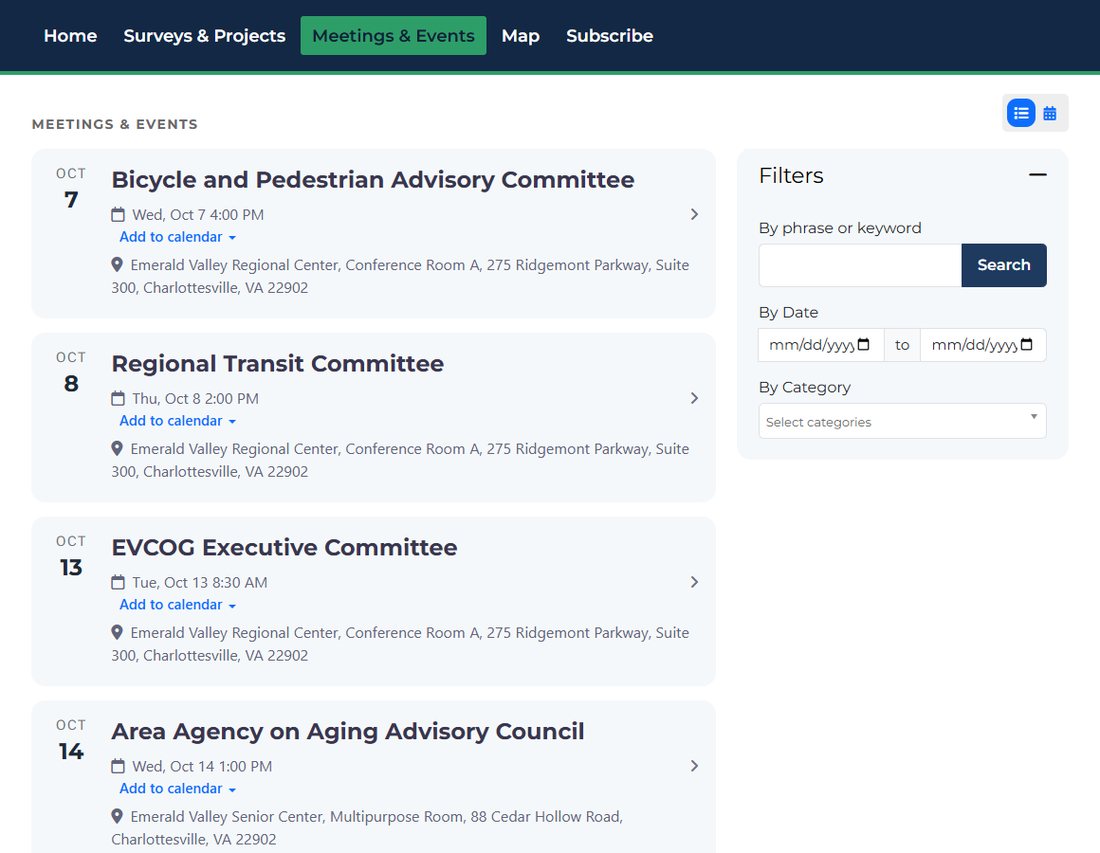
Each board and committee gets its own page with its description, its schedule, and its past and upcoming meetings. All of them roll up into one meetings calendar for the agency.
- Residents search by keyword, date or topic instead of guessing which committee owns an issue.
- Anyone can subscribe to a board, or to a topic like transit, safety or housing, and hear about the next meeting.
- Every meeting has an add to calendar link and a translate option.
- Past agendas and minutes stay on the board page, so the record stays findable after the meeting.
Let residents register to attend
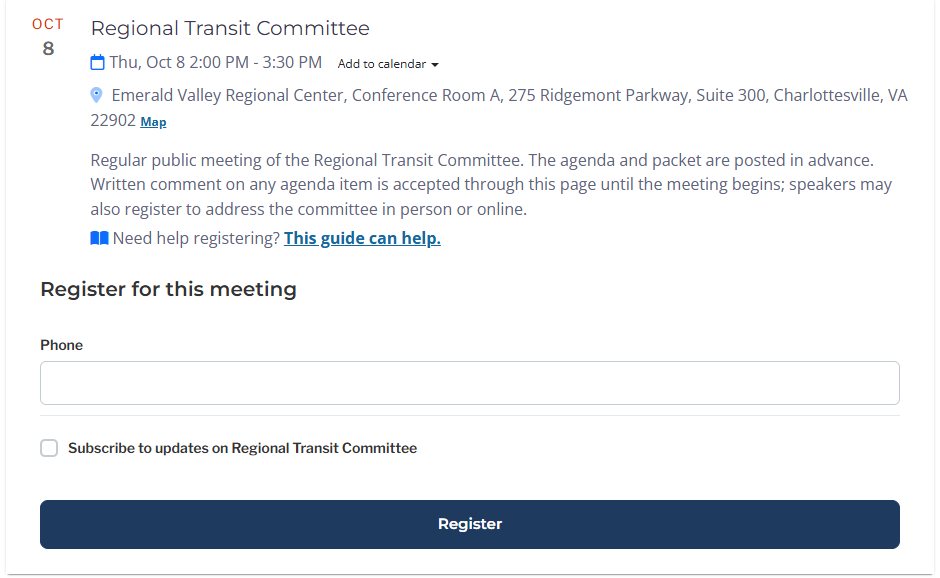
When you publish a meeting, its registration form comes with it. A resident registers from the meeting page in a few seconds, and the registration ties back to that meeting instead of a separate spreadsheet.
- Ask for accommodations at registration, such as an ASL interpreter, an assistive hearing device or wheelchair access, so staff can plan ahead.
- Let people subscribe to the board while they register, so the next agenda reaches them without another sign up.
- See who plans to attend before the meeting starts.
Publish the agenda and take comment on each item
The agenda is the backbone everything else connects to. Build it in PublicInput, upload a Word document, or bring it in from the agenda software you already use. Once it is posted, residents can open the item they care about instead of reading a forty page packet.
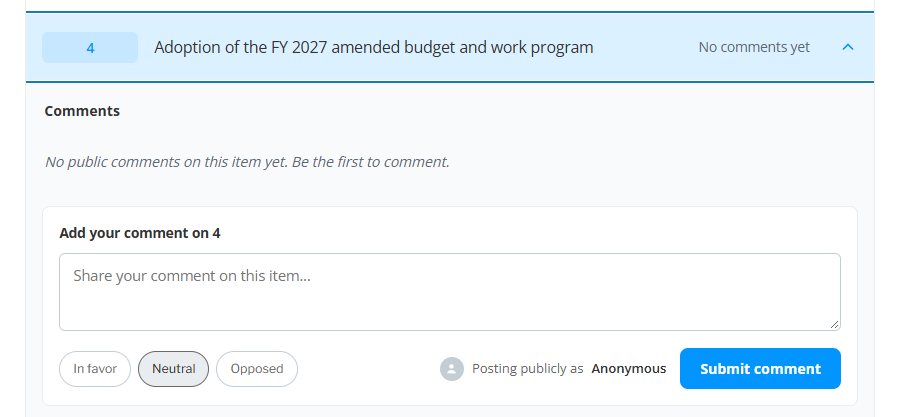
On each item, a resident can mark a position (in favor, neutral or opposed) and leave a written comment. The comment goes into the record for that item and is in front of members before the vote. Staff get comments sorted by item instead of one inbox to untangle.
Draft the minutes from the meeting record
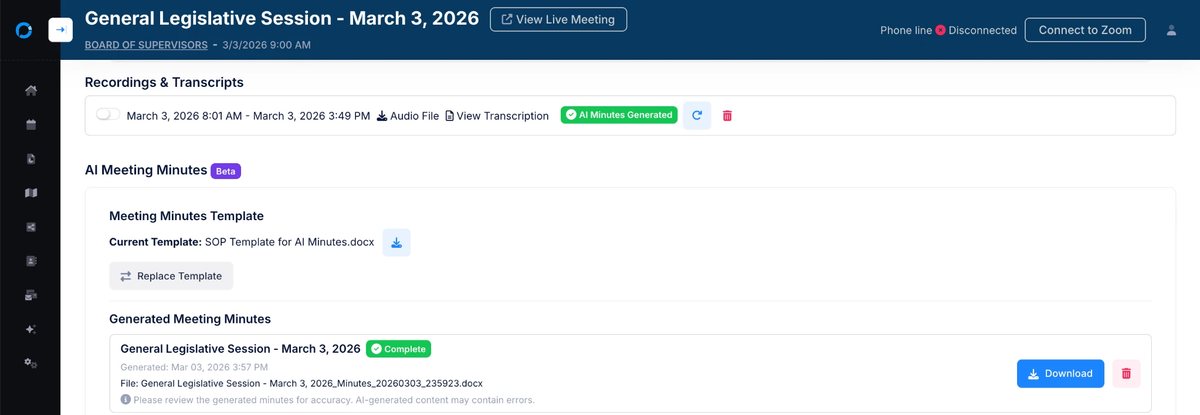
Meetings run in person, in a browser or by toll free dial in, with Zoom, Teams or WebEx bridged into the same meeting. PublicInput captures and transcribes it, then drafts minutes from your own template, the agenda and the transcript.
The draft is held for review. Staff edit it and approve it, and nothing reaches the public until a person says so. The point is not to take people out of the record. It is to stop minutes from running two or three months behind.
What changes for a regional agency
Consistency across boards
Every board uses the same agenda format and the same minutes template. Members who sit on several boards stop relearning a new packet each time.
Continuity when people leave
Many regional agencies run on a handful of staff. Templates, past agendas, minutes and transcripts stay in the system, so the next person inherits a working process on day one.
A record that is current
MPOs are expected to give the public timely notice and reasonable access to information about their process (23 CFR 450.316). Agendas posted ahead of time and minutes that keep up with the meetings make that easier to show when your public involvement program is reviewed.
Case study
How San Diego County cut meeting prep and follow up
The Office of the Clerk of the Board runs public meetings for one of the largest counties in the country, with agenda updates, speaker tracking and phone callers to manage for every session.
Before
Manual agenda updates, spreadsheet tracking and caller management, spread across separate tools.
After
Agendas, registration and the meeting itself run from one place, and the record builds as the meeting happens.
- Less time on meeting prep and post processing
- 26%
Figure from the San Diego County Office of the Clerk of the Board, as published in San Diego County transforms public meetings.
Questions regional agencies ask
What is board meeting management software?
Board meeting management software is the system a public agency uses to publish meetings, post agendas, take registration and public comment, run the meeting and keep the minutes. For a regional agency it matters most that every board and committee lives in one place the public can find.
Can residents comment on a single agenda item?
Yes. Each agenda item has its own comment box with a position of in favor, neutral or opposed. The comment is recorded against that item and is available to members before the vote.
Do we have to replace our agenda software?
No. You can build the agenda in PublicInput, upload a Word document, or bring it in from the agenda management tool you already use. The agenda then connects to registration, comment and minutes.
Can several boards share one public calendar?
Yes. Each board and committee has its own page, and all of them appear on one meetings calendar for the agency that residents can filter by keyword, date or topic.
Does it work for hybrid meetings?
Yes. Members and residents can join in person, from a browser or by toll free dial in, with Zoom, Teams or WebEx bridged into the same meeting.
Do AI drafted minutes publish automatically?
No. The draft is built from your template, the agenda and the transcript, then held for staff to edit and approve. Nothing publishes until a person approves it.
See your boards in one place
Tell us a little about your agency and we will set up a walkthrough with your own boards and committees in mind.
Run more meetings in less staff time
PublicInput keeps the calendar, the agenda, registration, comment and minutes for every board in one place.
See meetings solutions