General Video Conferencing Tools vs. Government-Grade Meeting Platforms
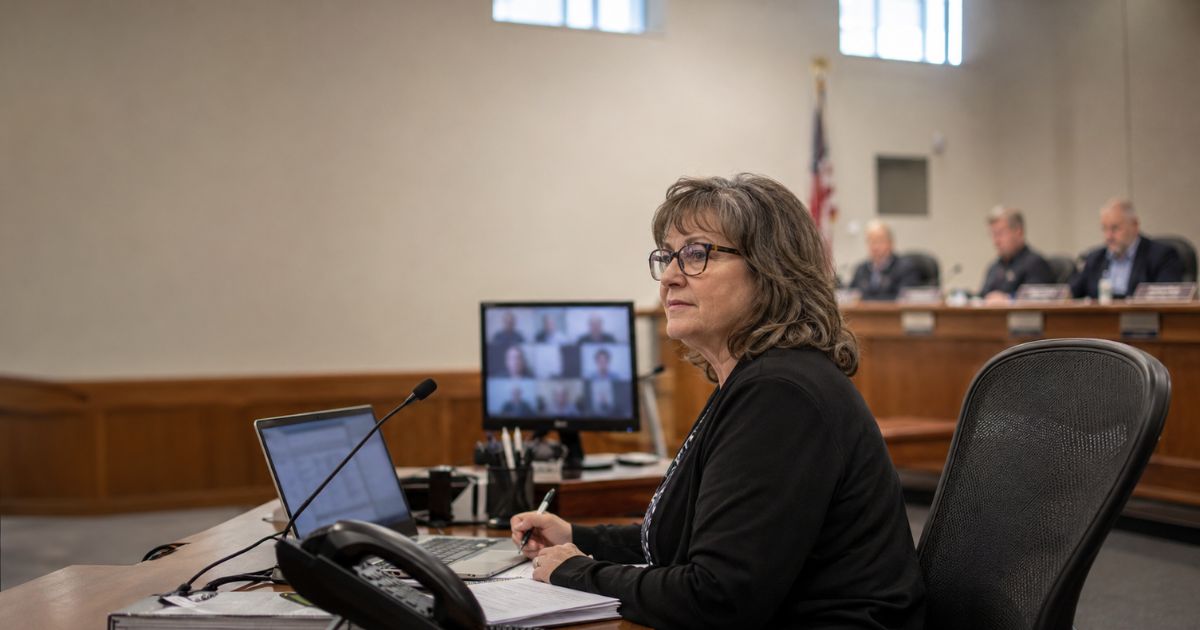
A business video tool can carry the audio and video of a public meeting. It cannot carry the obligations that come with one.
Most agencies running hybrid board and council meetings on Zoom or Microsoft Teams arrived there for sensible reasons. The license already existed. Staff already knew the interface. When meetings moved to hybrid, the tool that was already in the building became the tool that ran the meeting. The challenge is that a public meeting carries requirements a business meeting never had to meet, and most of those requirements land on the clerk after everyone has logged off.
Where general video tools fall short
Zoom and Teams were built for internal business collaboration. The design assumes a known set of invited participants and a private conversation that belongs to the organization holding it.
A public meeting works differently. Anyone may attend. Anyone may speak. The record produced afterward is a legal artifact that can be requested, challenged, or entered into evidence. None of that was in scope for a business collaboration tool, so the parts a public body needs get handled by staff instead of by software.
Phone-in participation is the clearest example. Residents without reliable broadband, or who simply prefer to call, need a way into the meeting that carries the same standing as a raised hand in the room. This is not a question of whether a general tool can receive a phone call. It can. The question is what it takes to manage phone participants at scale: one queue rather than two, tied to the agenda item each caller signed up to speak on, with caller identification intact for the record. On a purpose-built platform, callers arrive in the same speaker queue as in-person and virtual participants, and the clerk manages one list. Getting to the same place on a general tool takes additional infrastructure, additional staff process, or both.
A tool that hosts the meeting isn’t just incomplete. It leaves the public-participation workflow to a person who is already running the room.
What the public record has to prove
In some states, open meetings law requires that a remote board member’s “seen and heard” status be captured in the meeting record. If that member’s connection drops during a vote, the record needs to reflect it. General platforms do not capture this, so it becomes something a clerk notes by hand, in the moment, while also managing speakers and watching the stream.
That is where the burden of hybrid public meeting management actually sits. Not in the broadcast, which usually works, but in everything the broadcast does not record.
The same pattern shows up in staffing. It is difficult for a clerk to run the meeting and the technology at the same time, so agencies commonly assign an IT staff member or another employee to sit through the session providing technical support. That is a standing cost of the tooling, absorbed quietly, meeting after meeting. It also creates exposure the IT team carries without owning: when a stream drops or a phone queue fails during a live council vote, it becomes a public incident regardless of where the fault sits.
What remote participation rules now require
California’s SB 707 is the clearest current example of what these requirements look like once they’re written down. It’s not an outlier. New York and New Jersey both have bills moving through their legislatures to mandate similar hybrid participation, and open meeting law guidance across states is starting to treat remote access as a live requirement rather than a settled question. California just got specific first.
Specifically, that means SB 707 requires eligible agencies to offer the public a way to attend and participate remotely through either a two-way telephonic service or a two-way audiovisual platform. They must provide a live webcast. They must adopt a policy for handling technology disruptions, and when a qualifying disruption occurs, recess the meeting and make a good-faith effort to restore service. Certain agencies also carry agenda translation requirements, alongside existing accessibility and accommodation obligations under the ADA.
Each of those requirements has a technical shape as well as a policy one, and together they add up to a different kind of product than a general business video tool. A disruption policy needs a defined recess and restore path. Agenda translation needs the agenda inside the system that publishes it. A live webcast plus two-way participation needs both to work together rather than as separate services a staff member joins together by hand.
No platform makes an agency compliant on its own. Compliance is the agency’s determination, and it depends on policy and practice as much as tooling. What a purpose-built platform can do is cover the requirements that are genuinely technical, so fewer of them depend on someone remembering. A SB 707 preparation checklist is a reasonable place to see which is which.
Accessibility works the same way. Captioning support, multilingual participation, keyboard navigation, screen reader compatibility, and offering residents more than one way to take part all widen who can actually participate. They do not, by themselves, settle an agency’s ADA obligations, and content that suggests otherwise does clerks no favors. The practical value is that accessible hybrid meetings stop depending on manual accommodation arranged case by case. That’s true whether the requirement is written into state law yet or not. Agencies that build for it now aren’t just clearing California’s bar, they’re ahead of a standard other states are still drafting.
What a purpose-built platform covers
The difference is less about any single feature than about where the workflow breaks. A government meeting platform holds agenda creation, public notice and registration, live transcription, and minutes generation in one connected sequence. Because registration feeds transcription, the system already knows who signed up, which agenda item they asked to speak on, and how their name is spelled.
That is why speaker attribution holds up. Minutes come back with named speakers tied to agenda items rather than generic speaker labels, which gives the clerk a draft to edit instead of a recording to transcribe. Otter and similar general transcription tools produce a usable transcript of a business call and a substantial cleanup job for a council meeting, because they were never given the municipal context that makes attribution possible. For clerks currently spending days on this, the gap between the two shows up as meeting minutes in a fraction of the time.
The transition matters too, because the riskiest meetings are the first ones. PublicInput staff sit in on a customer’s first live sessions during go-live, resolving issues in real time while the team gets comfortable with the platform. After that, support moves to standard on-call escalation. A general tool’s support model starts and stays at the second one.
Evaluating the two side by side
Public participation: Can residents join by phone and appear in the same agenda-linked speaker queue as everyone else, with their identification preserved for the record, or does phone access run as a parallel process the clerk reconciles manually?
Record integrity: Does the platform capture what the record has to show, including remote member presence, or does that fall to handwritten notes taken during the meeting?
Workflow coverage: Does one system carry agenda, notice, registration, transcription, and minutes, or does each step live in a different tool?
Staffing load: Does running a hybrid session require a second person on technical support every time?
Accessibility: Are captioning, multilingual participation, and screen reader compatibility built in, or arranged separately for each request?
The answers tend to be consistent, because they trace back to what each product was designed to do. One was built for a company’s internal meeting. The other was built for a meeting the public has a right to attend.
See how purpose-built public meeting management helps clerks run hybrid sessions where the technology stays in the background and the record holds up afterward.