Building Better Public Meetings: From Notice to a Clear, Defensible Record
A well-run public meeting starts before anyone joins the room. Notice has to go out on time. The agenda needs to clearly identify what will be discussed. The meeting has to follow the requirements that apply to the governing body, whether that is a city council, a county commission or a board of supervisors, and give the public a meaningful way to participate.
Then there is the record.
The agency needs a clear account of what happened: who participated, which agenda item they addressed and what they said. That record matters long after the meeting ends, whether someone is reviewing a decision, preparing the minutes or looking back at what the public said.
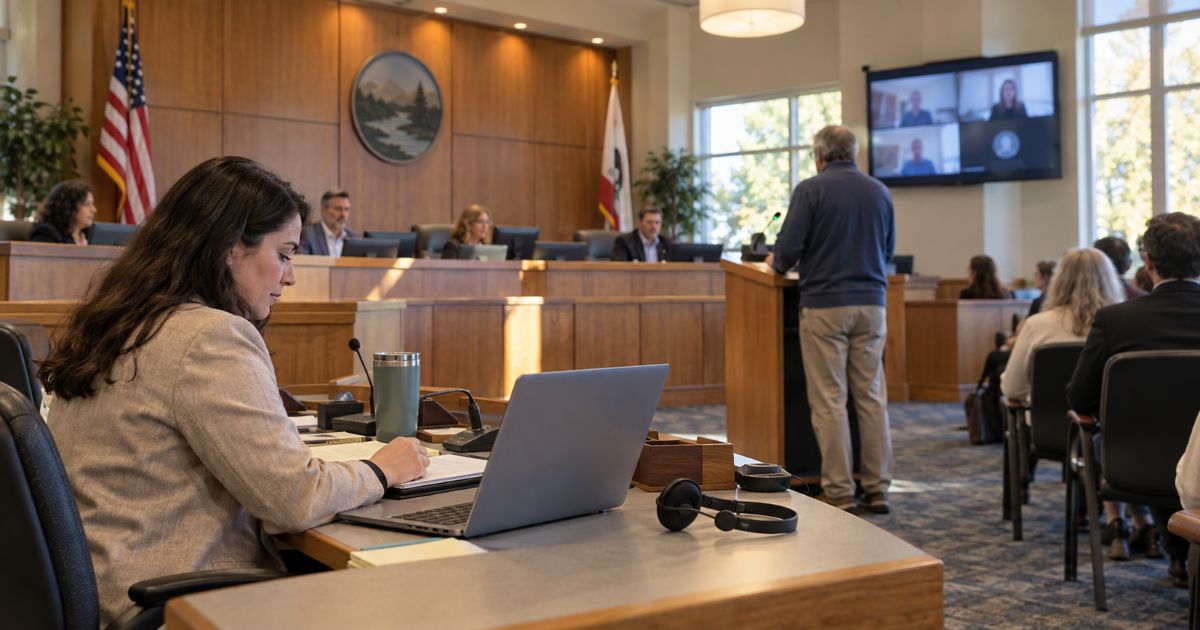
Hybrid meetings make that process more complicated. When people participate in the room, by video and by phone, the meeting platform becomes part of how the agency manages participation and builds the record.
Notice, access and participation
Most public meeting best practices start with open meetings laws, which set requirements for notice, agenda detail, meeting format and public access. Those requirements vary by state and governing body, but the basic expectation is consistent: the public needs to know when and where a meeting is happening and have a way to participate.
Remote and hybrid participation have added another layer to those requirements. California’s SB 707, for example, establishes specific requirements for eligible agencies holding remote meetings, including two-way participation by phone or video, live streaming, plans for technology problems and recessing when certain qualifying outages occur. Some agencies must also provide translated agendas.
Other states have their own requirements for remote participation and access. For clerks and communicators, that means the technology supporting a meeting is increasingly part of the meeting process itself.
Building the meeting record
The meeting record captures what happened once the meeting begins. It can include who participated, which agenda item they addressed and what they said, along with the actions and decisions taken by the governing body.
For clerks, creating that record means bringing together information from across the meeting. In a traditional meeting, much of that information comes from one room and a relatively straightforward set of tools.
Hybrid meetings change that.
Where hybrid meetings add work
In a hybrid meeting, people may join from the room, from a video link or by phone. Each group arrives through a different channel, but their participation still needs to become part of the same meeting record.
That takes coordination. In many hybrid public meetings, the clerk is responsible for the meeting itself while another staff member handles technology and participant support. General video conferencing tools can receive phone calls, but managing phone participants at scale, keeping callers in order and connecting each speaker to the right agenda item can require additional tools and processes.
After the meeting, the pieces still need to come together. Sign-ins, video attendee lists, speaker information, recordings and phone notes may all contribute to the minutes. Every additional handoff creates another opportunity for information to be missed or disconnected.
The more channels a meeting uses, the more important it becomes to have one clear way to manage participation and the record.
What a purpose-built platform can cover
A meeting platform designed for public meetings can bring those channels into one process.
PublicInput provides one speaker queue for people who want to speak, whether they join in person, by video or by phone. Callers can register ahead of time or during the meeting. Each speaker is connected to the agenda item they want to address, and speakers receive a text notification when it is their turn.
After the meeting, AI-assisted minutes generate a draft from the recording. Speakers are identified, comments are attributed and agenda items are linked, giving the clerk an organized starting point to review and edit. During live meetings, PublicInput also provides in-app support chat.
The goal is not to replace the clerk’s role. It is to make the information the clerk needs easier to manage.
What to look for
When your team compares meeting platforms, look for capabilities that support participation and the meeting record together.
Unified speaker queue: Everyone who wants to speak waits in one queue the chair can see, regardless of how they joined.
Comments linked to agenda items: Each comment is connected to the item the speaker addressed, so the record takes shape as the meeting runs.
AI-assisted minutes: The platform drafts minutes from the recording for the clerk to review and edit.
Phone participation at scale: Callers join the same queue as everyone else, with their participation connected to the meeting record.
Accessibility features: Captioning, multilingual participation, keyboard navigation and screen reader support help more residents take part.
Every agency will weigh these capabilities differently based on how often it meets, how many people participate remotely and how its staff currently manages meetings.
The important thing is to look beyond the video connection itself. A meeting platform can shape how easily your team manages participation, supports access and turns everything that happened into one clear record.
See how public meeting management software built for government can help your team manage participation and keep a clear record from the first speaker to the final minutes.