Deeper Insights: PublicInput’s Powerful New Mapping Features
At PublicInput, we’re constantly innovating to provide you with the most effective tools for public engagement. We understand that truly impactful engagement goes beyond just collecting feedback – it’s about understanding the context of that feedback. That’s why we’re thrilled to announce a significant enhancement to our platform: Regions, a game-changing feature that allows you to integrate geography into your public engagement in powerful new ways.
Imagine this: you’ve just concluded a highly successful outreach initiative for a transportation improvement program. Thousands of comments have poured in, each pinpointed on a map, each carrying unique insights. Now, the real work begins: making sense of this rich data and conveying it effectively to the teams responsible for project prioritization.
Traditionally, this might involve exporting data to a GIS platform and painstakingly sorting through it. While PublicInput’s robust integrations with Esri still make that possible, our new Regions feature streamlines this process dramatically, bringing sophisticated geographic analysis directly into your engagement workflow.
Visualize, Filter, and Segment with Precision: The Power of Regions
Regions allow you to define and utilize specific geographic areas within the PublicInput platform. These aren’t just arbitrary boundaries; they can be areas you define, or, even better, imported directly from your existing GIS data.
Effortless Region Creation
Creating a new region is intuitive and flexible. You can:
- Draw Custom Shapes: Easily outline areas directly on the map.
- Draw Circles: Define a region with a specific radius.
- Upload Shapefiles & KML: Import your pre-defined geographic boundaries.
- Import from Esri Feature Services: This is where the magic truly happens! Connect directly to your publicly accessible Esri feature layers and pull in existing geographic divisions, such as state transportation divisions or council districts. This ensures your engagement data aligns perfectly with your operational boundaries.
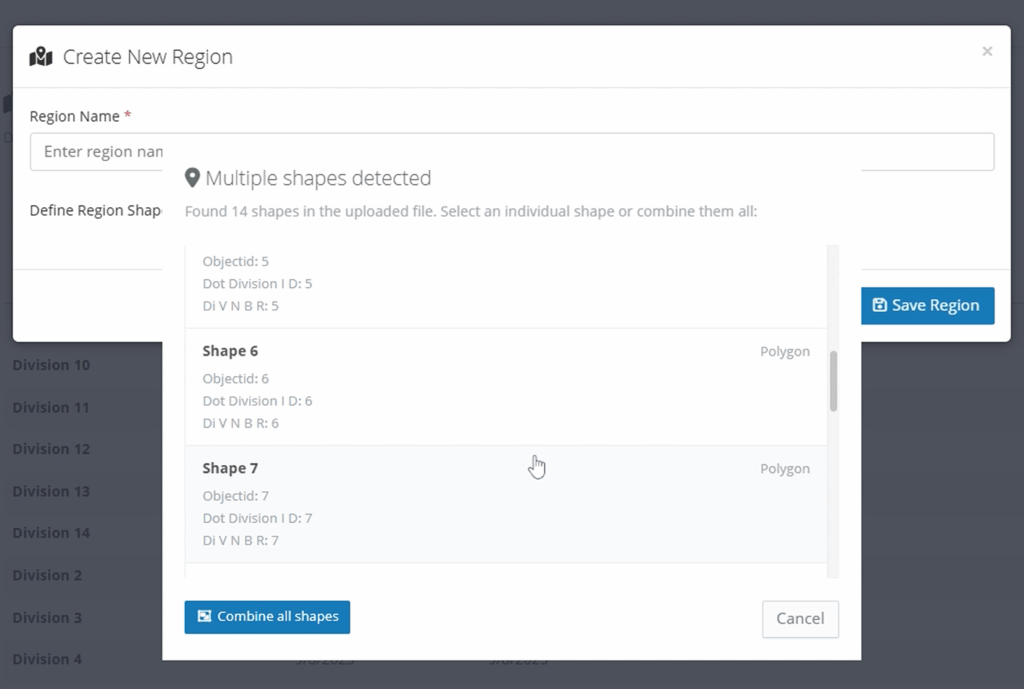
The region tool can extract shapes from your existing GIS assets, such as ArcGIS feature services, KML files, or ESRI Shapefile. For example, if you have a file with multiple districts or shapes, you can select a specific shape when creating a region:
Once your regions are defined, their utility extends across the PublicInput platform, empowering you to:
1. Export Location-Specific Comments for Targeted Review
No more sifting through thousands of comments to find those relevant to a specific area. With Regions, you can now filter your map comments and export data specific to any defined geographic region.
For example, if you have comments on a statewide project, you can easily export only those comments originating from “Division 3” to share with the relevant administrators. This capability is invaluable for:
- Department of Transportation (DOTs): Distribute feedback to specific district offices.
- City & County Governments: Share comments relevant to a particular council district or ward.
- Any Organization: Segment feedback for internal teams based on their area of responsibility.
Here’s how simple it is to filter your comment exports by region:

2. Geofence Residents for targeted email outreach and report filtering
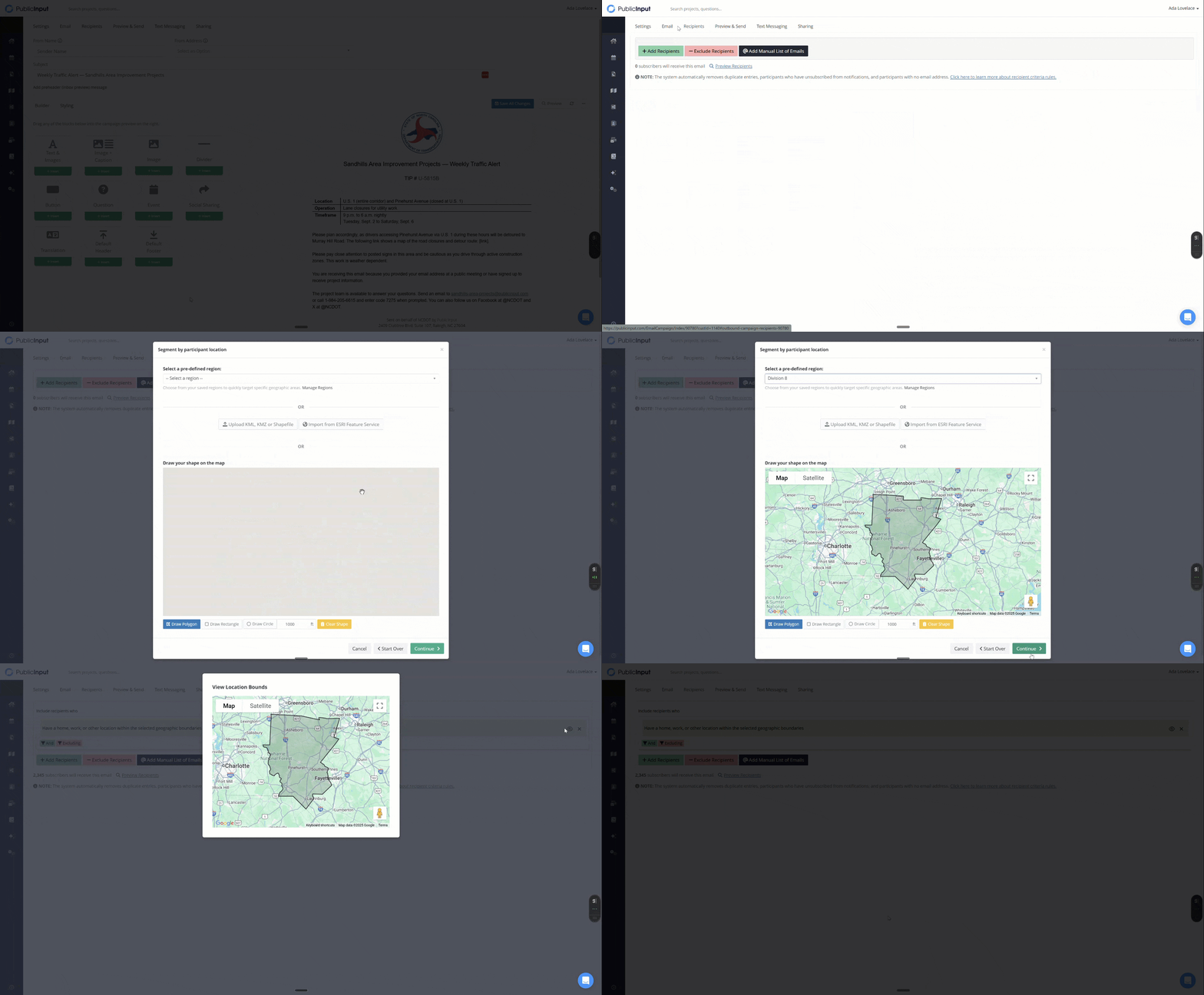
Understanding who is providing feedback, and where they’re located, is critical. Our CRM (Constituent Relationship Management) now integrates Regions, allowing you to create highly targeted segments of your participants.
You can filter participants based on their home or work location within a specific region. Combine this with other criteria – such as meeting attendance or survey responses – to build incredibly nuanced segments. This enables you to:
- Target communications: Send updates only to residents within a specific project area.
- Analyze demographics: Understand engagement patterns based on geographic distribution.
- Identify local champions: Find and engage with key stakeholders in particular areas.
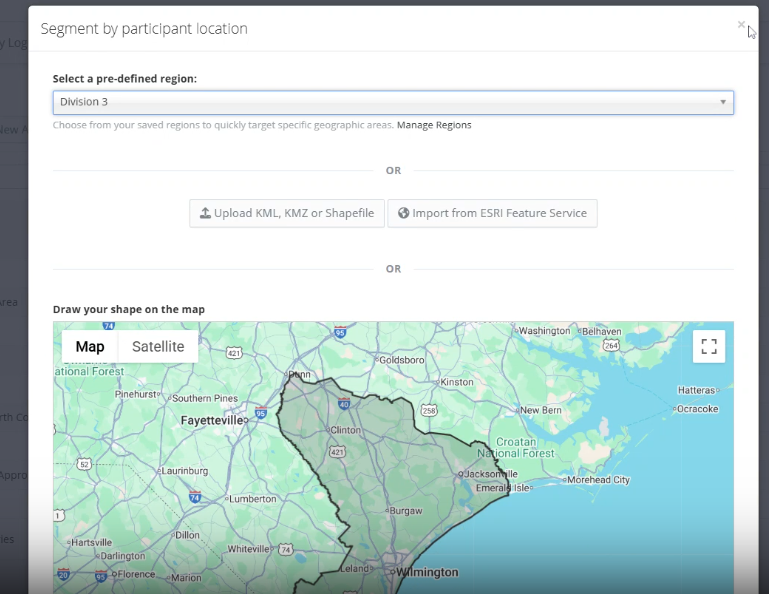
See how easily you can select a region when targeting an email communication:
3. Dynamic Reporting for Real-time Geographic Insights
Once you’ve segmented your participants using Regions in the CRM, you can apply these segments as filters to your project reports. This provides dynamic, real-time insights into feedback originating from specific geographic areas.
- Share targeted reports: Provide stakeholders with live data on comments and engagement within their area of responsibility.
- Identify regional priorities: Quickly understand the concerns and priorities of residents in a particular division or district.
- Track localized sentiment: Monitor how different geographic areas are responding to your initiatives.
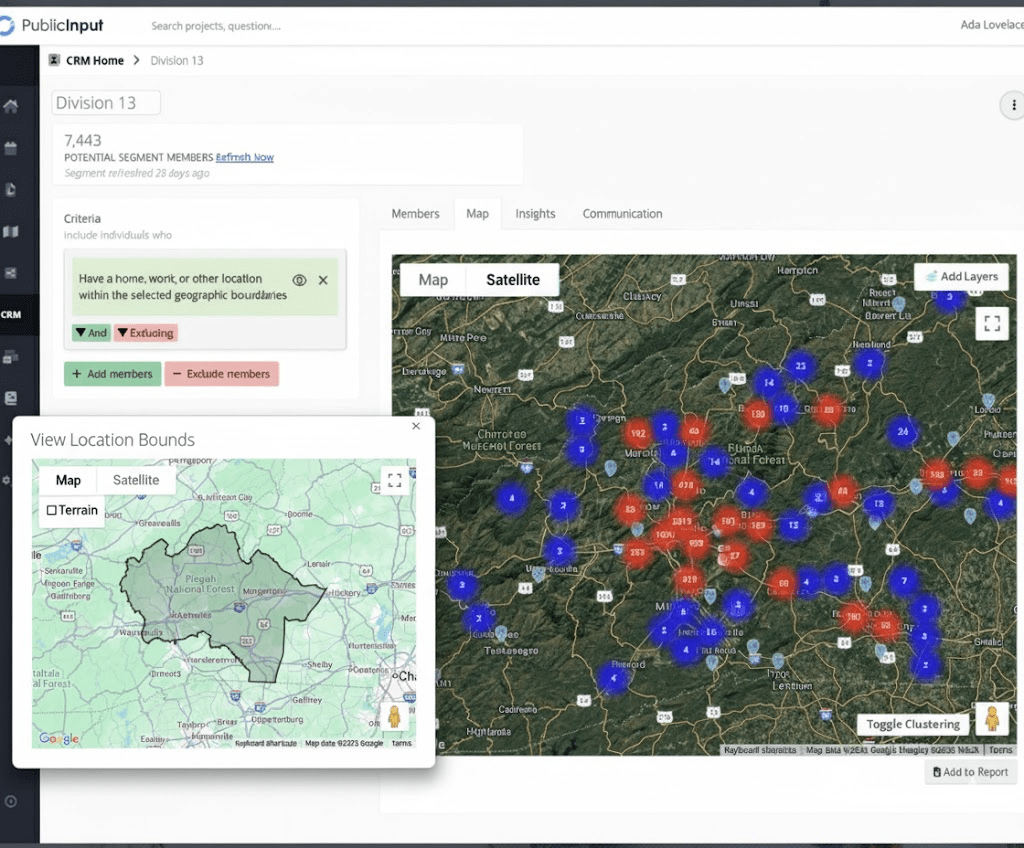
Here’s an example of building a resident database segment specific to “Division 13”:
4. Define Project Locations with Existing GIS Data
For projects specific to a given region, you can now use your defined Regions to set the precise location of the project. This ensures that when the public views your project, they see its boundaries in the context of real GIS data that your team uses every day. This creates greater clarity and transparency for your community.
This is especially useful for local infrastructure projects, zoning changes, or any initiative with a clear geographic scope.
Connect Your GIS Data to Your Engagement Strategy
The Regions feature is more than just a mapping tool; it’s a bridge between your robust GIS data and your public engagement efforts. By connecting these critical assets, PublicInput empowers you to:
- Better understand your data: Gain deeper insights by analyzing feedback within its geographic context.
- Improve internal collaboration: Share relevant data seamlessly with different teams and divisions.
- Enhance public transparency: Clearly communicate project locations and areas of impact.
- Drive more equitable outcomes: Identify and address the unique needs of specific communities.
We are incredibly excited about the possibilities that Regions unlocks for our users. Geography is a critical aspect of engagement, and leveraging it to reach the right people and understand your community can make your public engagement more efficient, insightful, and impactful.