
AI Analysis and Reporting
Have a clear view of what residents are saying across every project and meeting at scale.
Collect input across multiple channels and turn it into intelligence that leaders can act on.
Overview
Lead With the Data And Insights You Need
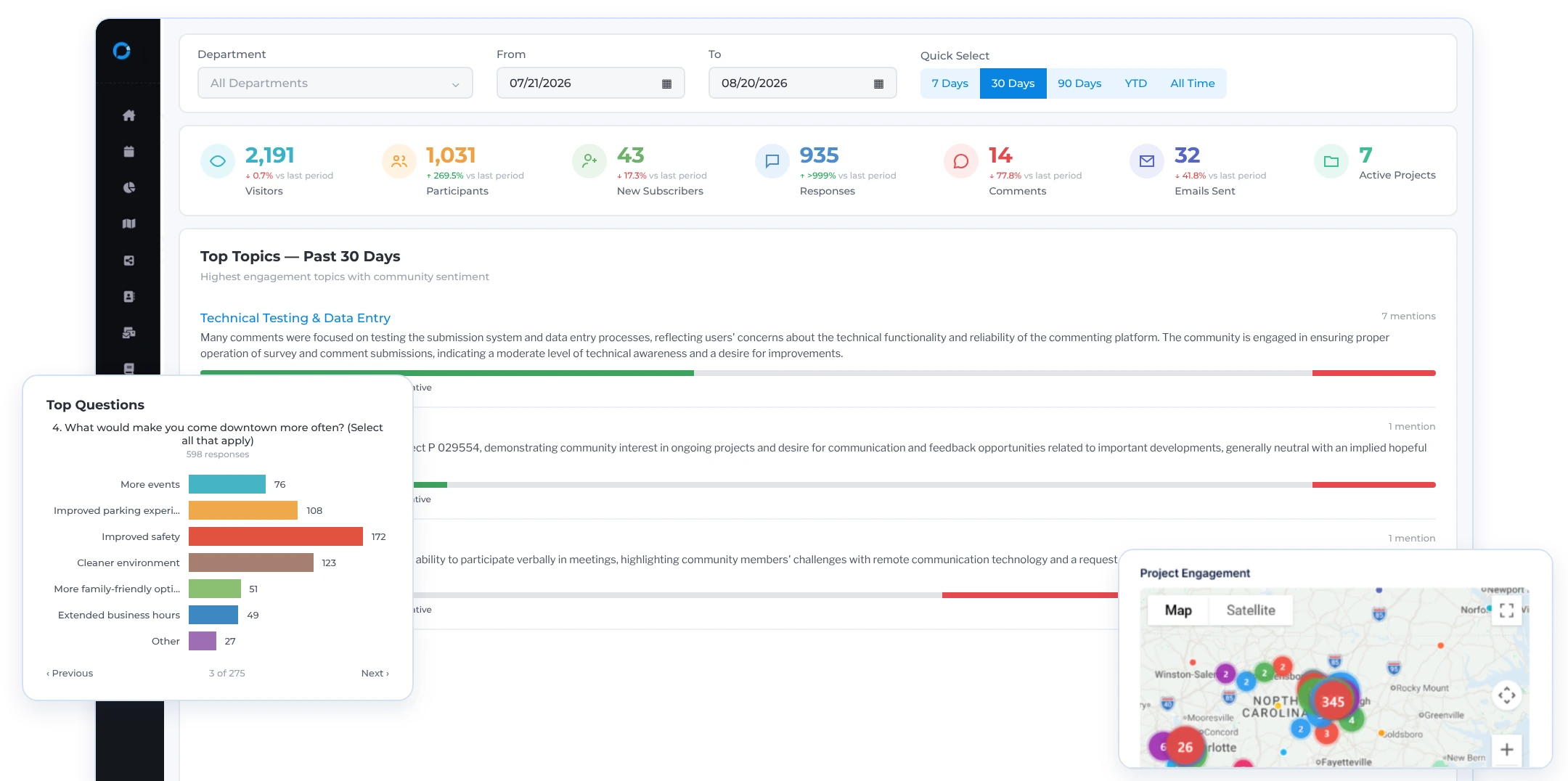
Instead of digging through thousands of individual comments, surveys, and meeting transcripts, Pulse utilizes AI to quickly collect input into thematic summaries across projects and meetings.
- Get AI-powered insights across PublicInput Engagement and Meetings
- See what residents are saying right away, all in one dashboard
- Runs on Microsoft Azure, with admin controls to turn agentic AI on or off
What’s Included In
AI Analysis and Reporting
Dynamic Reports
Build reports that update as responses come in.
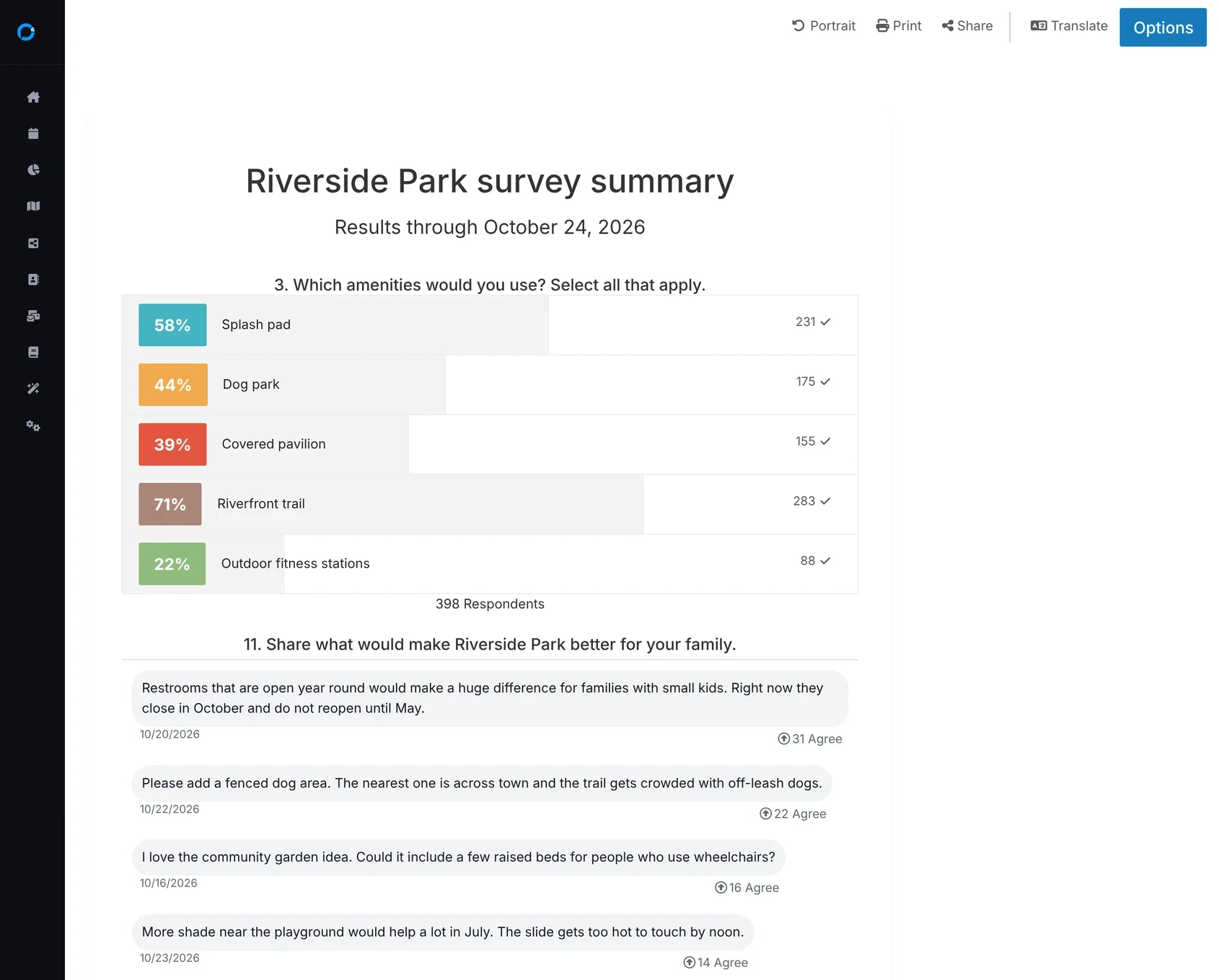
- Pull participation, response trends, comment tags and project results into one report
- Filter any report by question, date or participant group
- Run unlimited reports and export the data any time
Demographics and Cross-Tabs
See who you heard from and who you missed.
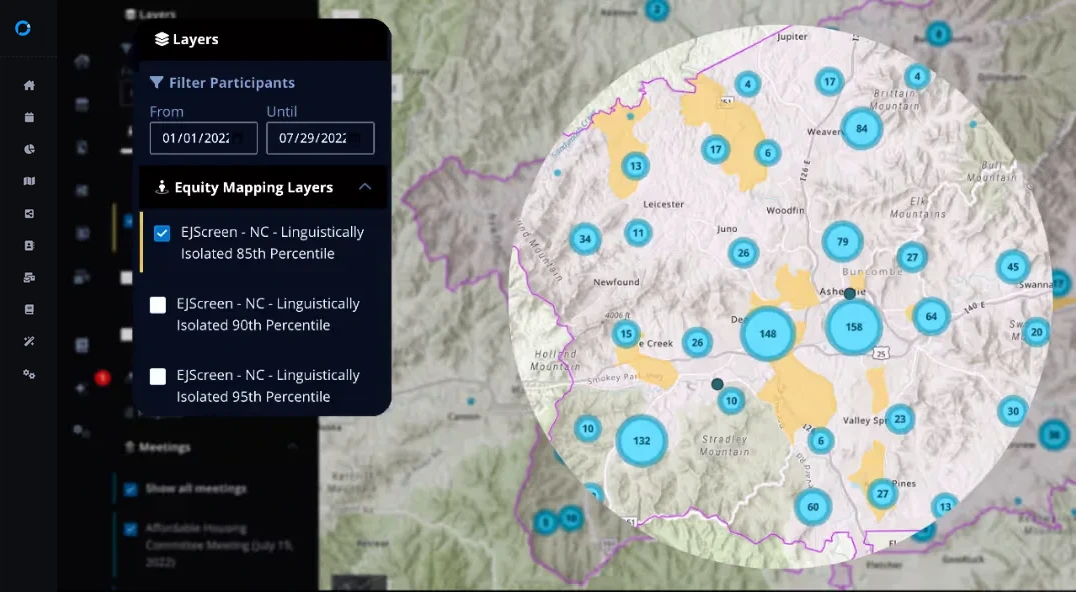
- Compare participant demographics to census data
- Cross-tabulate answers by age, neighborhood or any other question
- Map participation by council district and pull in your own GIS data
Multi-Project Reporting
Roll up results across every project and department.
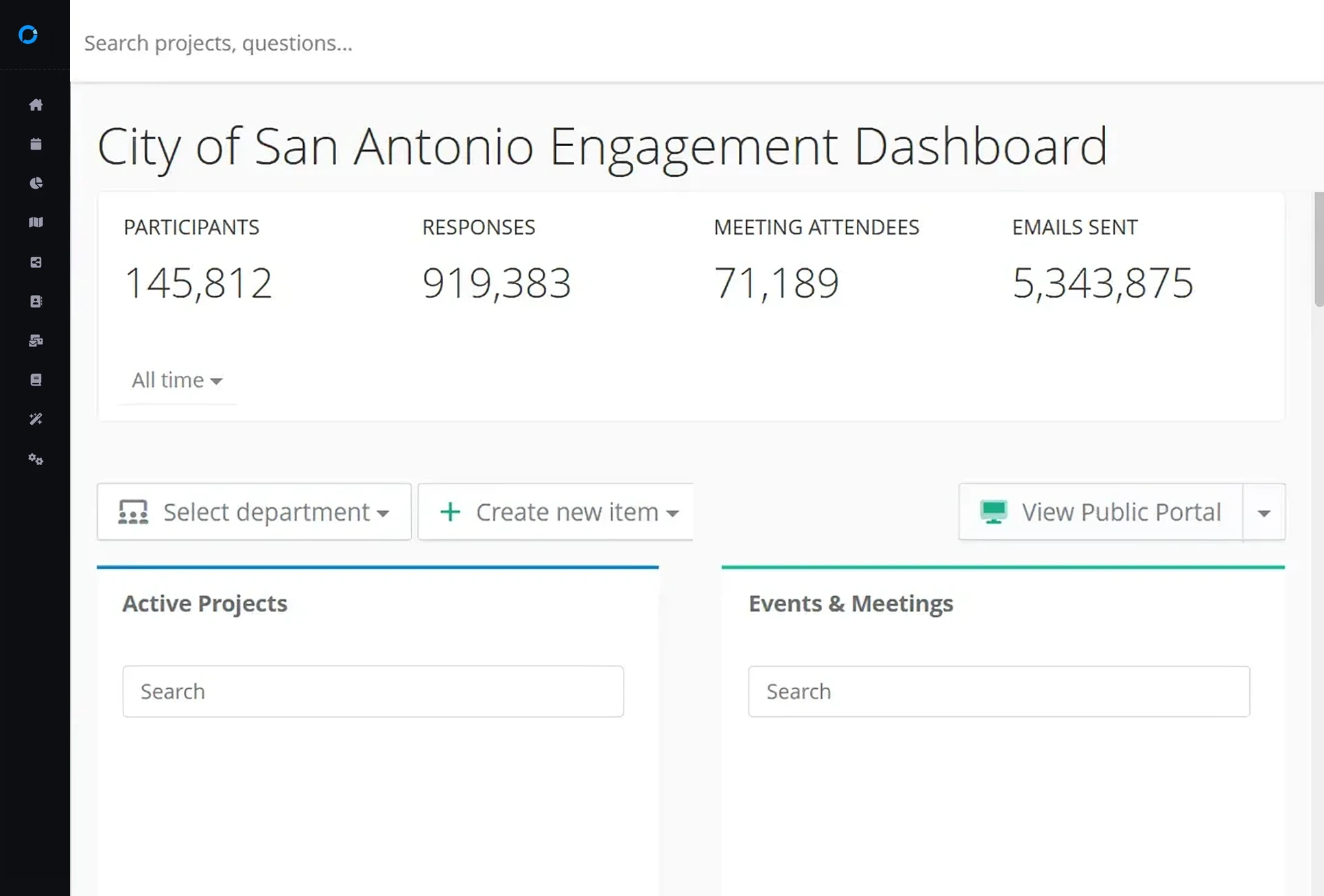
- Report on projects, meetings and email in one dashboard
- Break down engagement by department across the organization
- Track visitors, participants and responses over 30 or 90 days
AI Comment Analysis
Sort thousands of comments in minutes.
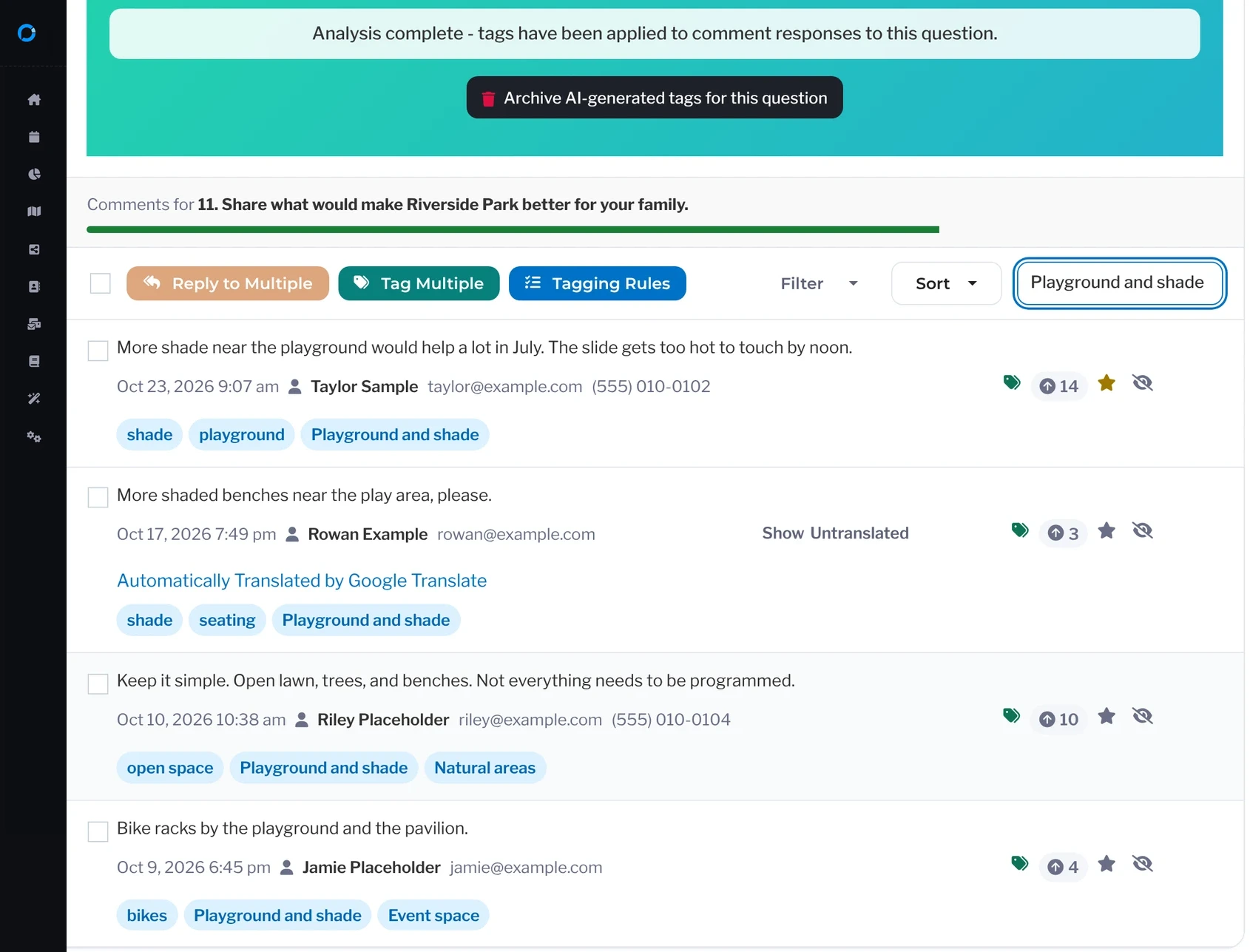
- Let AI suggest tags and sentiment, then accept or change each one
- Review comments by theme instead of one at a time
- Filter reports and exports by tag
Pulse
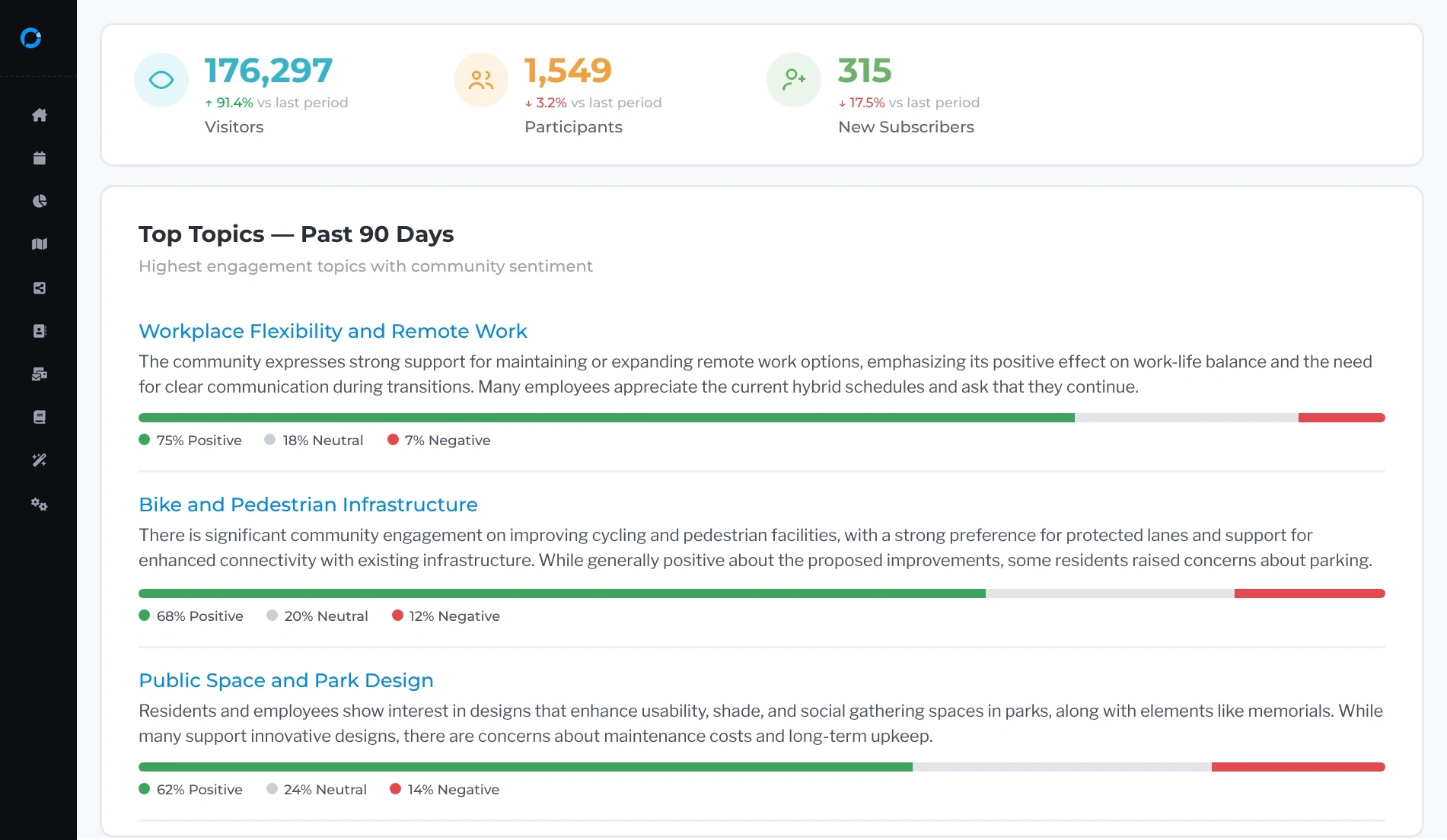
See how residents feel and what’s trending.
- Track top topics and sentiment across every project, meeting and email over 30 or 90 days
- Get an AI summary of support, opposition and top asks, with citations you can trace
- Ask a question or click an AI-suggested one to pinpoint the exact answer

Best practice · Hillsborough County, FL
Hillsborough County heard from 17,000 residents in two weeks
Staff used live reporting to turn 30,000 comments into direction for reopening and for their next round of outreach.
Pulse runs on Microsoft Azure, keeping your data in the U.S.
The PublicInput Engagement suite
Explore the rest of PublicInput Engagement
Use one, or use them together. Every comment lands on the same resident record.
Questions about AI analysis
Where does Pulse’s data come from?
Pulse pulls in everything you already collect through PublicInput in one dashboard view. This includes online surveys, public meeting comments, and emails.
Can we export the data for our own reports?
Yes. Run as many reports as you need and export the data any time, for a council packet or your own analysis.
Can we see who we haven’t heard from?
Yes. Compare participant demographics to census data for your area, then cross-tab answers by age, neighborhood or any other question.
Can I configure AI features for my organization?
Yes. Admins can turn agentic AI on or off at any time to meet IT and AI usage policies, and the rest of the dashboard stays available either way.
Is my data secure?
Absolutely. Your residents’ input stays yours and is never used to train models. Learn more about how PublicInput keeps your data safe
See it on your own comments
Bring the comments from your last project
We’ll show you how Pulse finds the themes and turns them into a report you can share.