
Stakeholder Management
One stakeholder list that outlasts the project and the consultant.
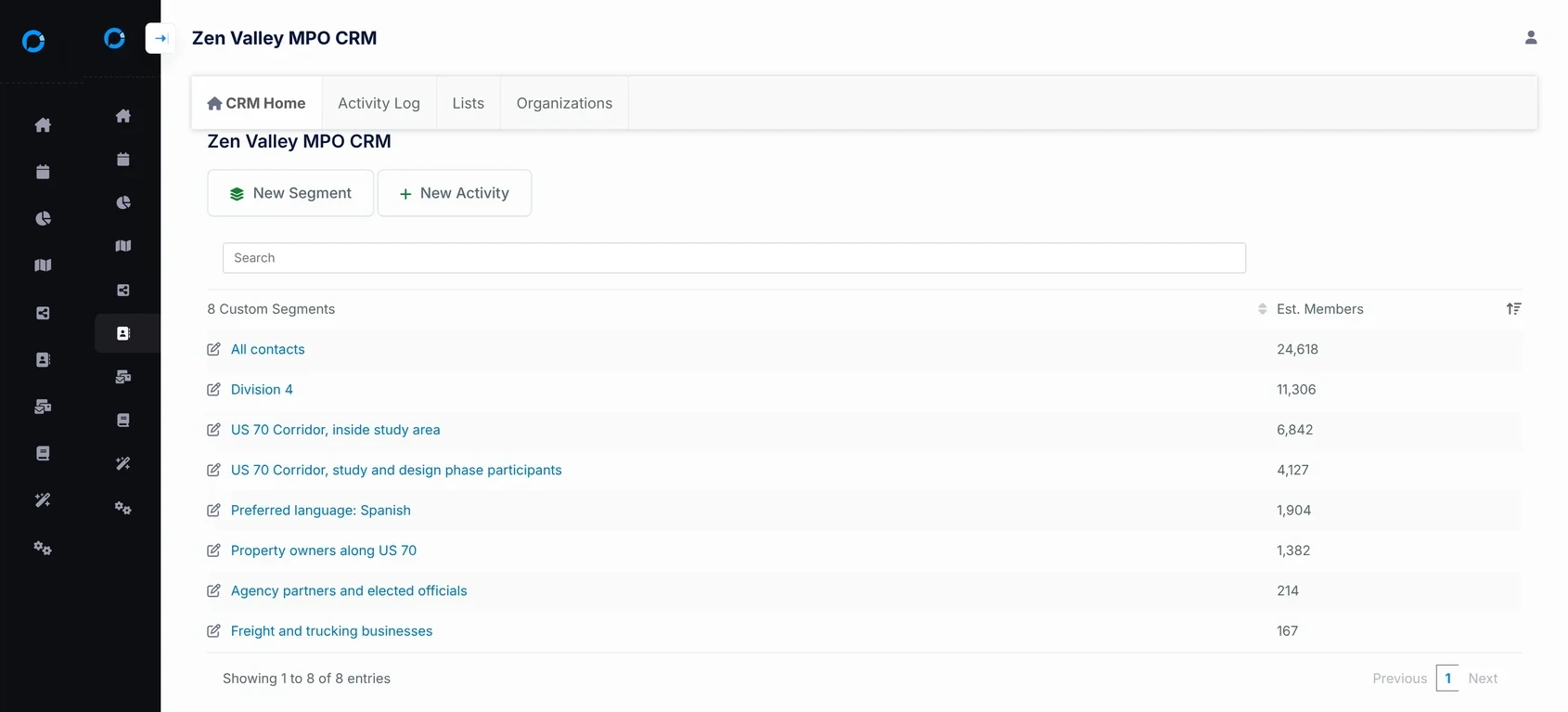
Build on the relationships your team has already established. PublicInput connects resident and organization records with participation across projects, giving staff a shared database they can rely on over time.
Overview
One Resident Record. A Complete History Across Projects.
When someone participates in multiple projects, their information stays connected in one record. Your team can see their past involvement, contact preferences, and project subscriptions without creating duplicate contacts or piecing together their history.
- Find contacts by location
- Build audiences from survey responses
- Keep community organizations and key stakeholders organized
What’s Included In
Stakeholder Management
Segments by place
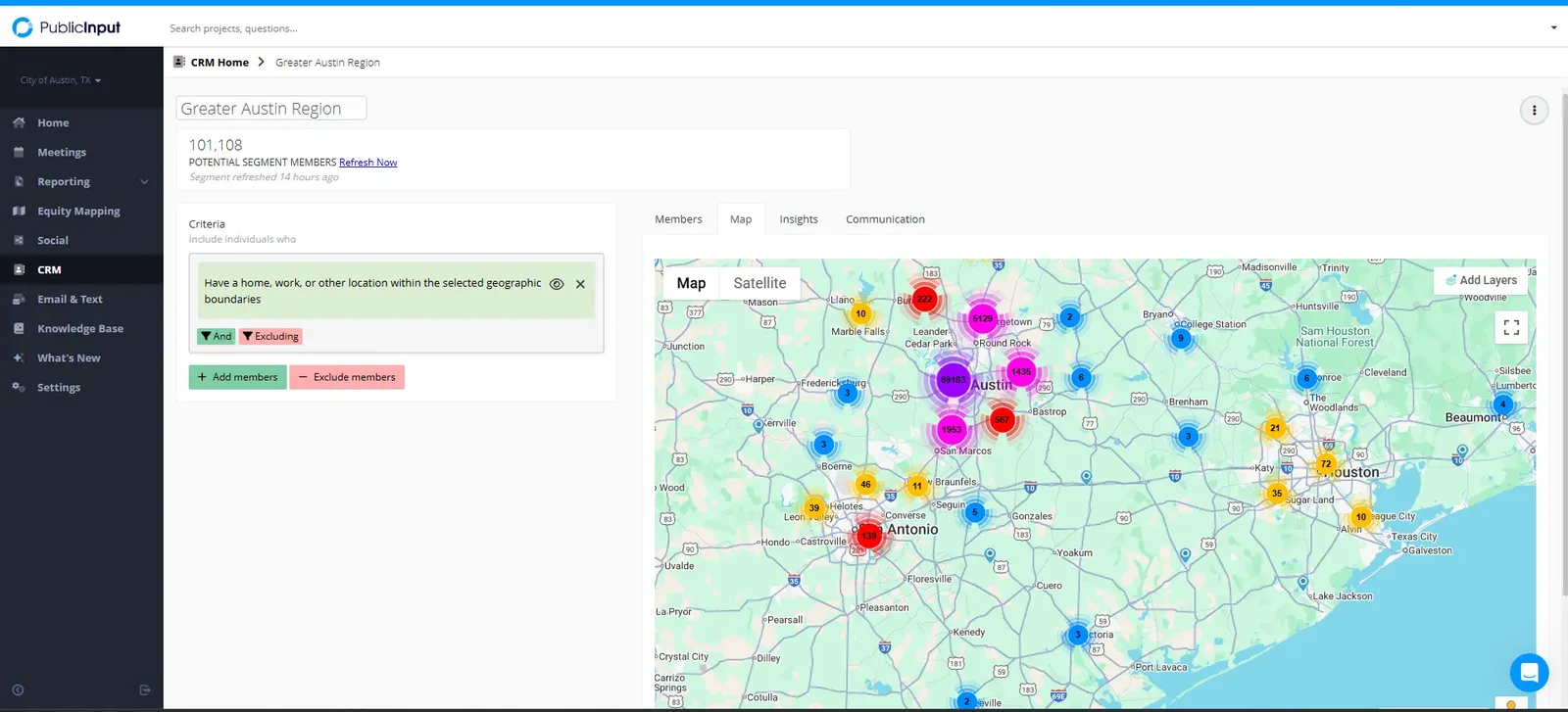
Build an outreach list based on location.
- Draw a boundary around a project site, corridor or notice area
- Or select an existing district or division
- Leave out people who already took part to reach neighbors you have not heard from
Segments by answer
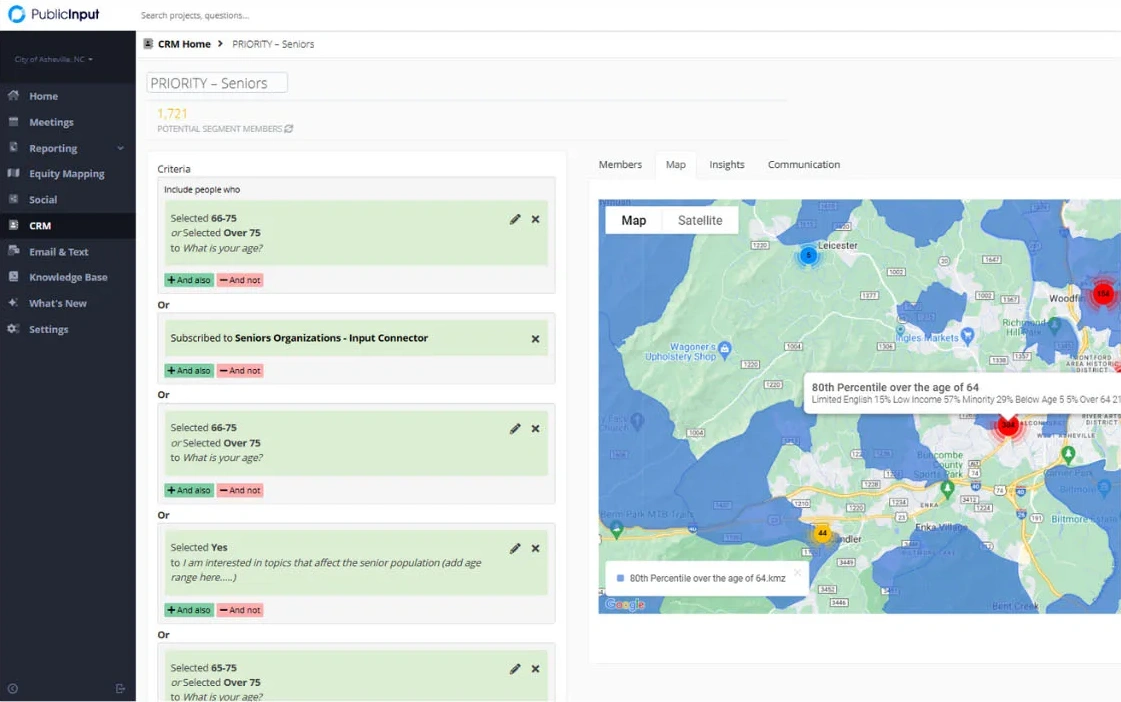
Find the exact audience you need.
- Segment by survey answers and contact details
- Find Spanish speakers, property owners along a route or people interested in a topic
- See how many people are in the segment before you send anything
Organizations
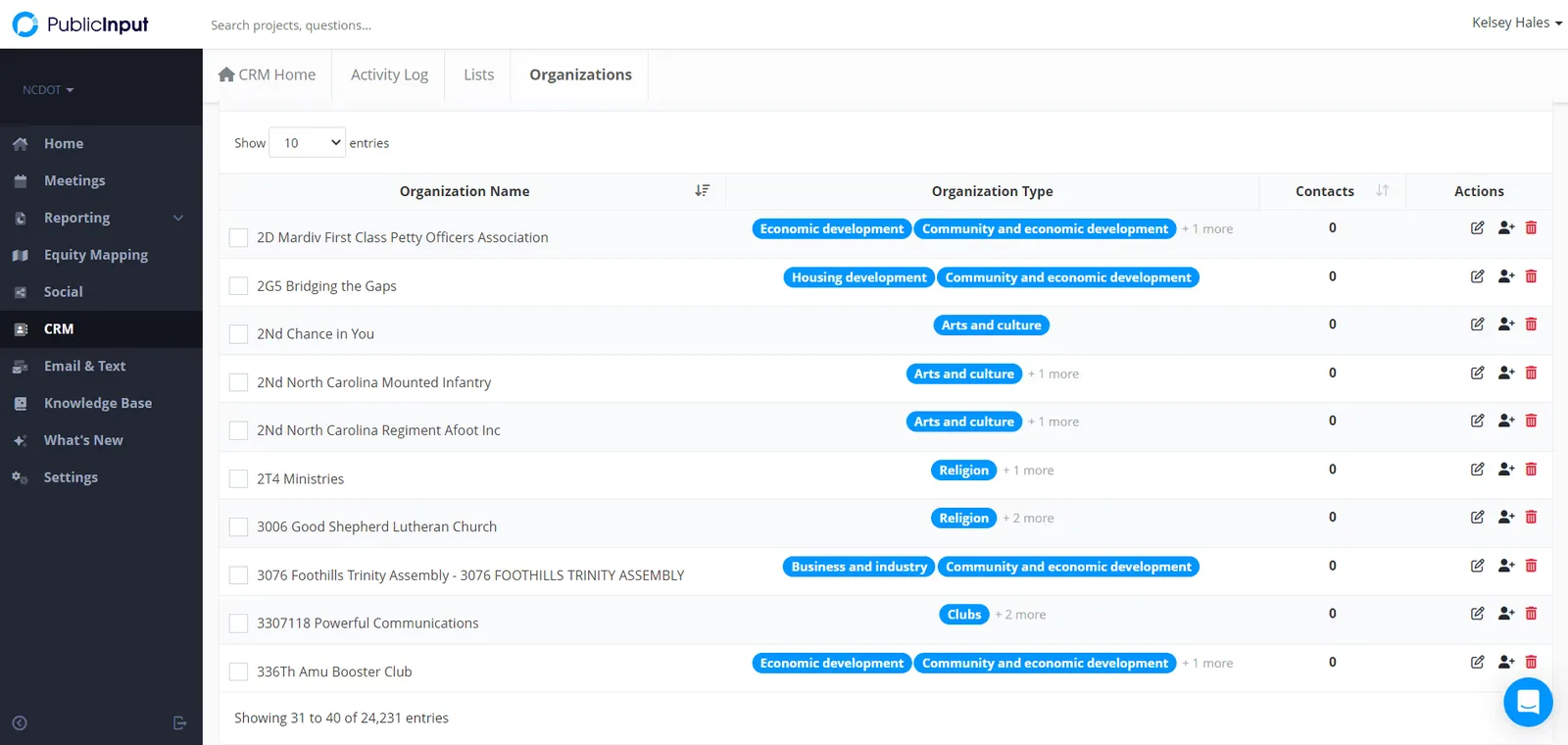
Keep community organizations in the picture.
- Track agency partners, elected officials, neighborhood associations, chambers and churches
- Store each group’s type, address and the people you work with there
- Map service areas to see which groups to involve in a project
Interaction history
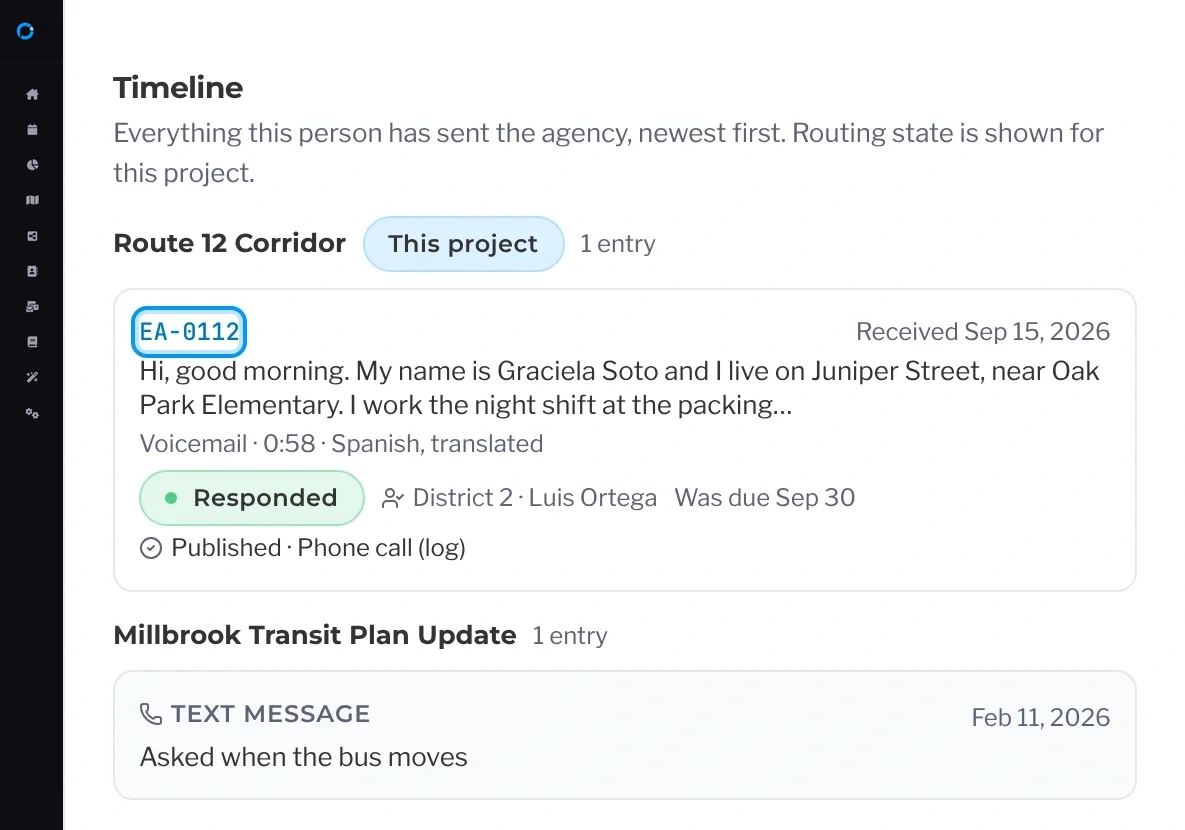
See every interaction in one timeline.
- Survey responses, comments, meeting sign-ins, calls and emails in one place
- Each entry shows its date and channel
- Contact details, preferred language and subscriptions stay with the record

Best practice · North Carolina DOT
NCDOT runs public involvement for hundreds of projects from one CRM
With engagement spread across hundreds of projects and consulting firms, NCDOT moved its stakeholder data into PublicInput’s CRM and set one process for every project team.
The PublicInput Engagement suite
Explore the rest of PublicInput Engagement
Use one, or use them together. Every comment lands on the same resident record.
Questions about stakeholder management
Our contacts live in a dozen spreadsheets. Can we bring them in?
Yes. Upload each spreadsheet as a list, then merge any duplicates. From then on, every department works from the same database.
What happens to our contacts when a consultant’s contract ends?
Nothing, because they were always yours. Consultants work inside your account, so the contacts, comments and sign-ins stay put when you switch them to view only.
We don’t have a public involvement team. Is this overkill?
Not at all. Comments, sign-ups and meeting registrations land on each record automatically, so the real work is the first upload.
Is this separate from our email list?
No: subscribers live in the same database, so you can email a segment or a topic list without exporting a thing.
Stakeholder Management
Bring your spreadsheets
See your contacts, comments and subscribers in one database.