Introducing the Modernized Admin Dashboard
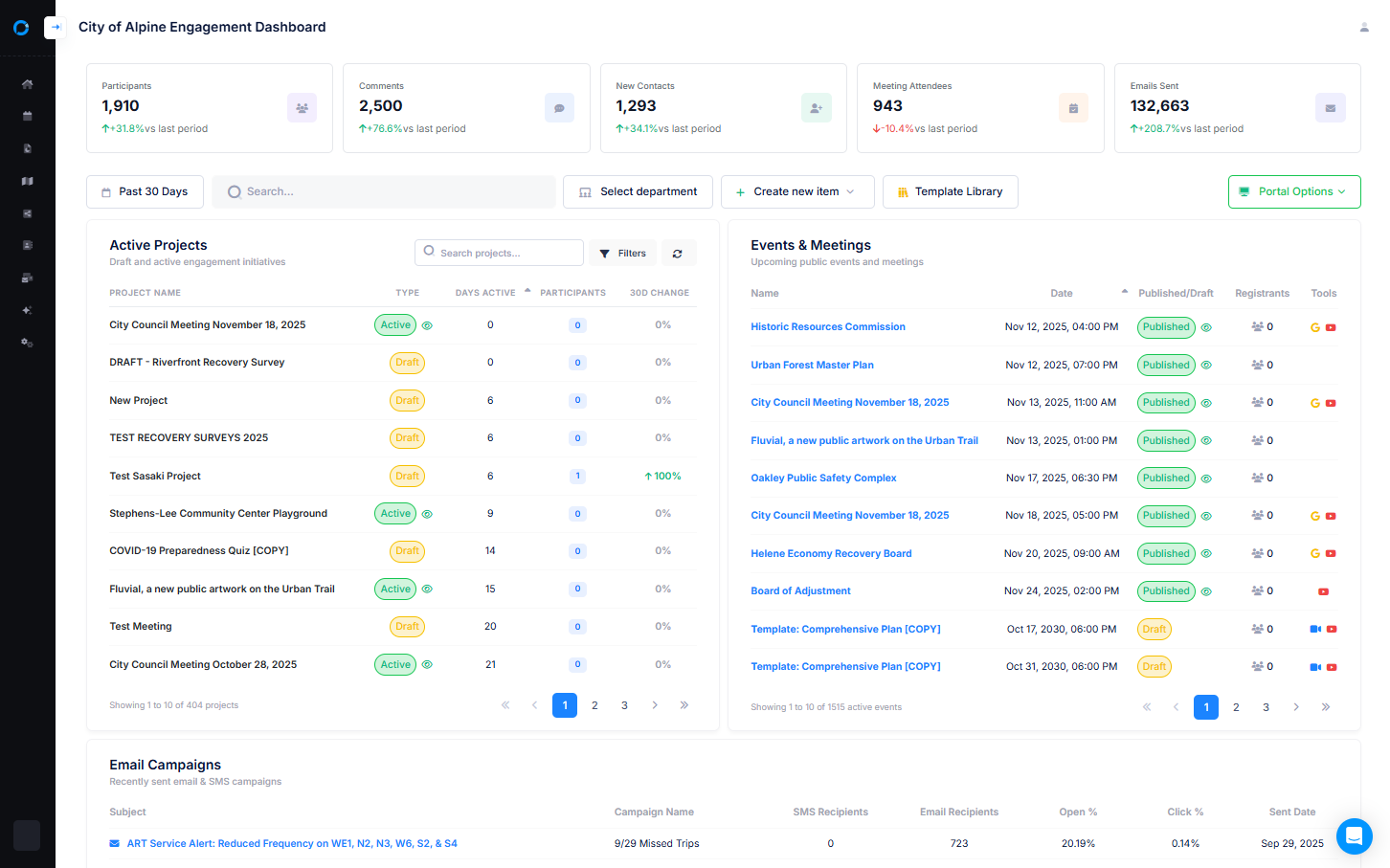
At PublicInput, we’re always looking for ways to improve our product to simplify engagement. We just rolled out a modernized administrator home dashboard -a faster, clearer, and more useful way to see your engagement work at a glance. Here’s a quick, friendly tour of what’s changed and why it helps you get more done with less guesswork.
What’s changed (big picture)
We’ve transformed the admin dashboard into a true Centralized Management Hub so you can view engagement data across projects, meetings, and campaigns – all in one place. The goal: fewer clicks, less hunting for information, and faster, smarter decisions. The dashboard continues to centralize projects, pages, meetings, emails, reports and participant data so admins don’t have to stitch information together across screens.
Core new features called out in the release:
- View Key Trends – trends for project participation, meeting attendance, and two-way communication.
- Quick Status Checks – new visual indicators that let you instantly gauge the health of projects, meetings, and campaigns.
- Departmental Filtering – toggle and filter data by department so teams can see engagement results specific to their work.
Advantages for administrators
1. See the story, not just the numbers

The trend views surface patterns – rising or falling participation, attendance trends, and the health of two-way conversations- so you can spot problems or opportunities without exporting spreadsheets. Instead of isolated metrics, you get context across projects and time, enabling more strategic decisions.
2. Faster triage with visual status indicators
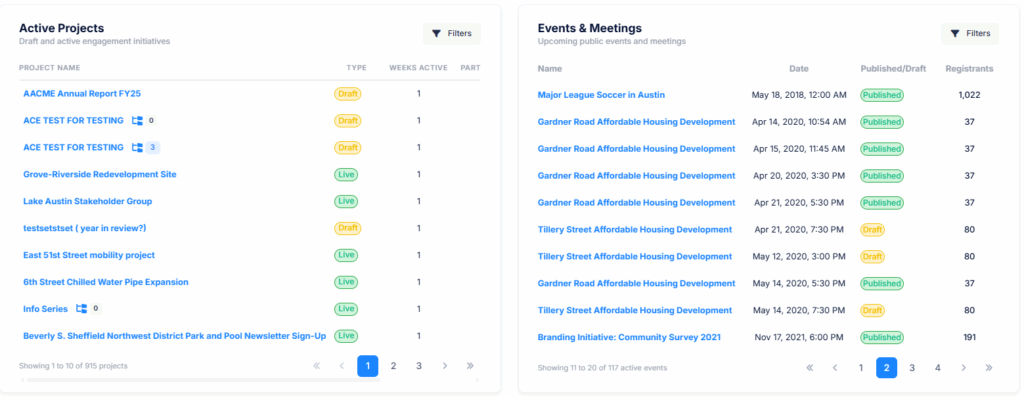
New visual signals (status badges, color cues, icons) mean you can scan your dashboard and immediately identify:
- Projects that need attention
- Meetings with low or high engagement
- Campaigns that are performing above or below expectations
That speed reduces the time spent clicking into each item and turns daily dashboard checks into true “rapid triage” sessions.
3. Departmental filtering = better team ownership
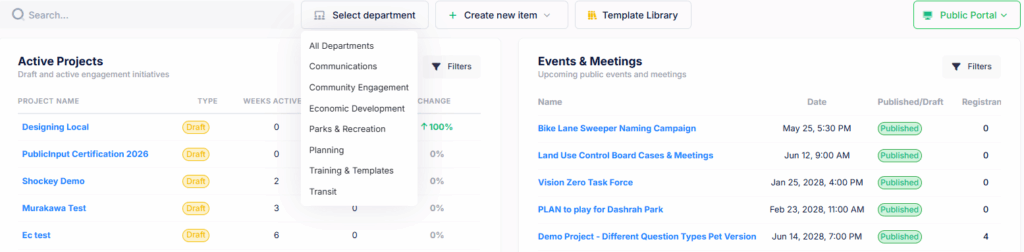
With the ability to toggle and filter by department, program leads and communications teams can:
- Measure engagement for their specific teams
- Compare performance across departments
- Hold focused engagement reviews grounded in the same dataset
This is especially helpful for organizations that grant departmental admin seats or run campaigns across multiple teams.
4. Centralized view of all your engagement tools
Because the admin dashboard pulls together projects, meeting listings, emails, reports, participant records, and text campaigns, you no longer need to flip between separate screens to understand what’s happening across your outreach – it’s all in the hub. This cuts redundancy and administrative overhead.
5. Better alignment between outreach and outcomes
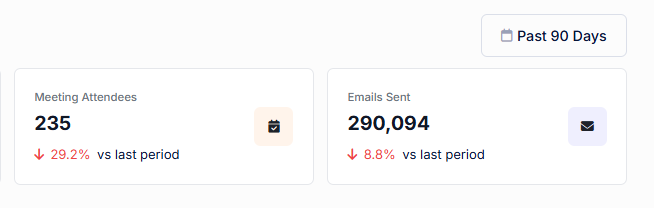
Seeing two-way communication trends alongside participation and meeting attendance allows you to connect outreach channels (like email/SMS/social) to results. That makes it easier to iterate on messaging, timing, or channel mix.
How teams can use it (practical examples)
- Daily engagement reviews: Scan the dashboard’s trend and status indicators to call out projects that need support.
- Communications planning: Use two-way communication trends to identify channels that spark resident conversation and prioritize those in your next campaign.
- Departmental reporting: Filter to a department and export or screenshot a focused view for leadership or interdepartmental meetings.
Proactive outreach: Spot declining attendance or participation early and trigger a targeted follow-up campaign.
Quick tips to get the most from the new dashboard
- Check trends first: Let the trend widgets tell you the top 2–3 items to investigate each day.
- Use filters: Save time by focusing dashboards on the department or program you manage.
- Leverage visual cues: Train your team to interpret status indicators consistently (e.g., red = immediate action).
Combine insights: Cross-reference communication trends with meeting attendance to understand cause and effect.